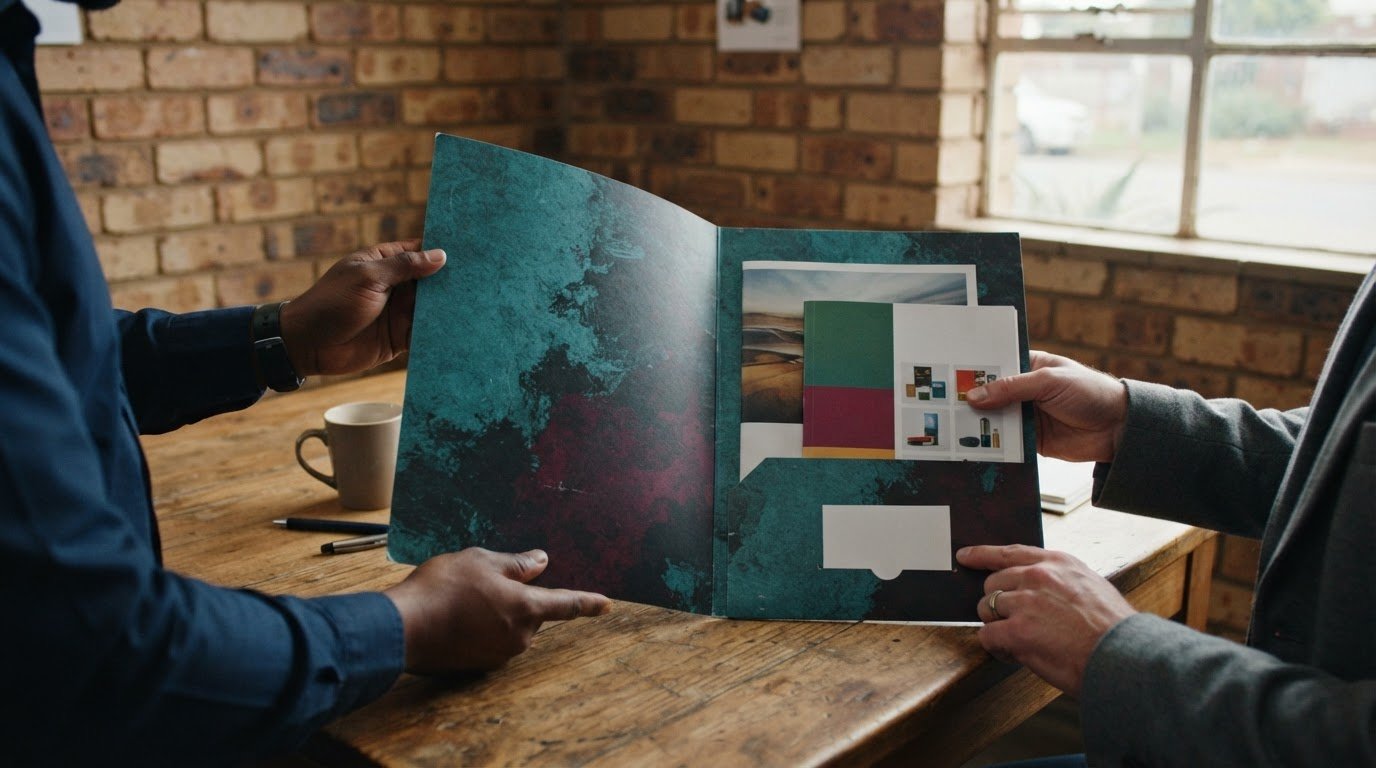
Can a folder sample help you choose the right stock and finish before your sales materials go to print? It can give you a feel for the paper and overall presentation, while a printer can explain how your folder and pocket choices suit the materials you plan to include. Custom printed folders for sales teams work best when their design, format and contents are considered together.
You’ll learn what information and materials to provide, how a printer can guide you through folder and pocket options, and which artwork files help prepare a print-ready design. We’ll also cover assembly and delivery planning, so you can create a polished set of materials for your team. A clear brief from the start keeps decisions focused on how the folder will be used.
Key Takeaways
- Choose documents and promotional materials around the sales conversation, so the folder has a clear purpose and stays easy to use.
- Match pocket and business-card slit options to what the folder needs to hold and how your team will share contact details.
- A clear project brief helps your printer advise on a suitable folder format and prepare artwork for production.
- Understand how assembly and delivery arrangements fit into your schedule before the finished folders are needed.
- Consider how presentation folders and Point of Sale (POS) Displays can support a consistent look across sales materials and retail settings.
Documents and promotional materials to include
Start with the sales conversation the folder needs to support. A product meeting may call for a brochure, specification sheet and price list. A property presentation may need a company profile, service overview and contact card. For custom printed folders for sales teams, choose materials that answer likely questions rather than filling pockets with unrelated pages. Give each insert a clear purpose.
Printed folders keep selected documents together for in-person discussions. Branded binders suit materials that need frequent updating or contain larger document sets. Digital materials are convenient to share remotely, while printed pages work well in meetings. Teams can combine formats, using a folder for core information and digital files for updates.
Map the sales conversation into a simple sequence. Put the most useful information first, then follow with supporting details and a next step. For example, a product overview can lead into a feature sheet, followed by a case example and the salesperson’s contact details. This order helps the recipient follow the story after the meeting.
- Company introduction: Include a concise profile that explains the business, its audience and its offer.
- Product or service details: Add a brochure, catalogue extract or specification sheet relevant to the discussion.
- Evidence and examples: Use a case study, project summary or client example to make the offer tangible.
- Next-step information: Include a contact card, enquiry details or a clear call to action.
Plan the printed materials alongside the folder contents. Paper choice affects the feel, stiffness and handling of each insert. A heavier sheet may suit a premium product overview, while lighter paper can work for frequently replaced price lists. Your printer can assess how the inserts fit and whether their combined paper weight will make the folder bulky.
Inks, coatings and glue also affect the finished look. Full-colour printing can showcase brand photography, product images and colour-coded sections. Discuss how a coating suits the design and intended use. Glue is part of the construction, not decoration. The printer considers where it is applied so pockets remain secure and usable.
Provide final copy, approved logos, current contact details and the documents planned for the folder. Flag items that change often, such as a product sheet or campaign offer. This helps distinguish durable printed pieces from replaceable inserts. A contents list gives the production team a practical reference for checking the assembled set.
A focused brief helps custom printed folders for sales teams support real customer conversations. Note the audience, meeting purpose and action you want recipients to take. For example, a folder for a product demonstration may prioritise specifications, while a proposal pack may foreground service details and response options. This context helps align the materials and their order.
Pocket and business-card slit options
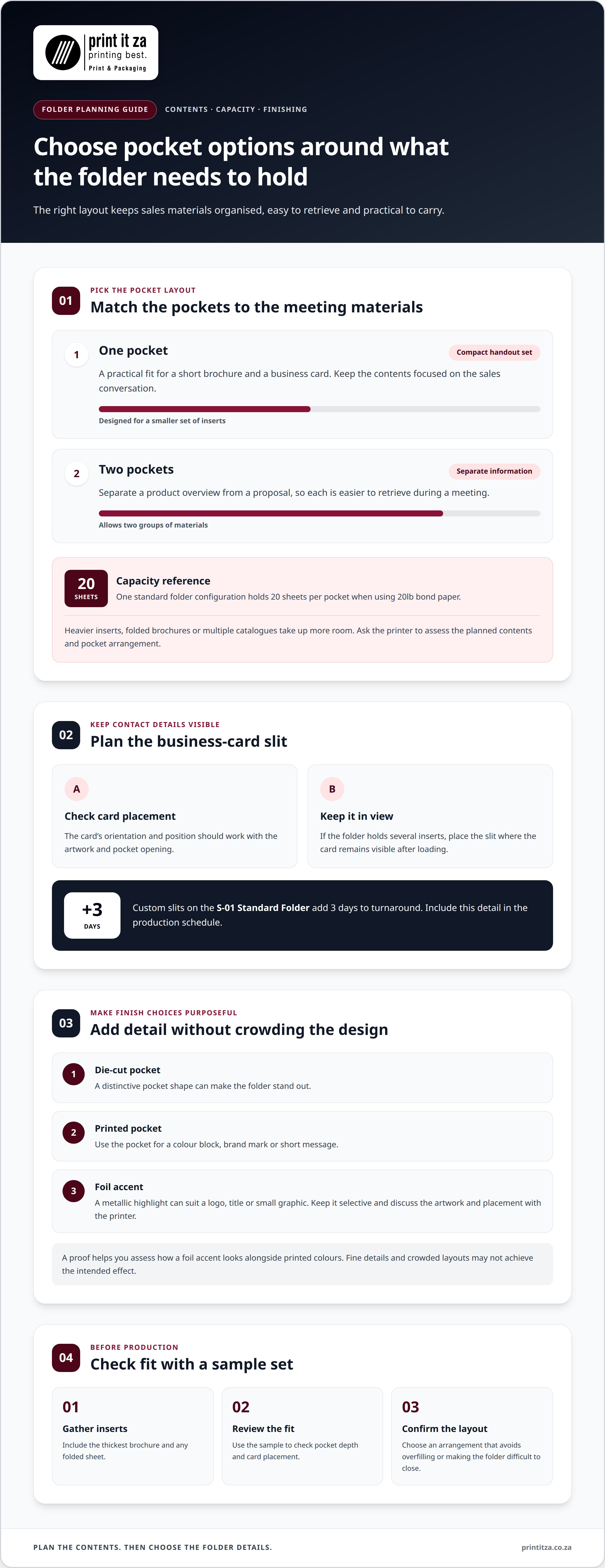
A pocket keeps loose sales sheets together, while a slit holds a business card in place. Choose the layout based on what each representative carries. A single pocket may suit a short brochure and contact card. Two pockets can separate a product overview from a proposal, making each easier to retrieve during a meeting.
Capacity matters as much as layout. One standard folder configuration holds 20 sheets per pocket when using 20lb bond paper. Heavier inserts, folded brochures or multiple catalogues take up more room. A printer can assess the planned contents and recommend a pocket arrangement that avoids overfilling or making the folder difficult to close.
Business-card slits can be positioned to present a card clearly and keep it from slipping. The card’s orientation and placement should work with the folder artwork and pocket opening. If the folder will hold several inserts, position the slit where it remains visible after loading. Custom slits on the S-01 Standard Folder add 3 days to turnaround, so include this detail in the production schedule.
Choose customisation options for a purpose, not just decoration. A die-cut pocket shape can distinguish a folder, while a printed pocket can carry a colour block, brand mark or short message. The outside cover might feature a restrained logo, with detailed product information inside. Consistent colours and typography connect the folder with brochures and sales sheets.
Foil accents can add a metallic highlight to a logo, title or small graphic. They work best when used selectively, such as on a company name against a simple background. Discuss the foil area, artwork and placement with the printer, as fine details and crowded layouts may not achieve the intended effect. A proof helps you assess how the accent looks alongside printed colours.
- Choose one pocket for a compact handout set and a card.
- Choose two pockets to separate proposals from supporting information.
- Place the card slit where the contact details stay visible.
- Plan foil accents around one clear focal point, such as a logo.
Send the printer a sample set of the inserts, including the thickest brochure and any folded sheet. This gives the production team a practical basis for reviewing fit, pocket depth and card placement. For a coordinated printed presentation, explore presentation folder printing as part of your project planning.
Custom presentation and file folders
A presentation folder organises selected materials for a client meeting, proposal or product launch. A file folder suits documents that need sorting, storing or retrieving later. This distinction shapes the cover, pocket layout and artwork. For example, a sales presentation may feature a strong front cover, while an internal project file needs clear labels and practical identification.
Plan the folder around its purpose. A proposal folder might hold a company profile, service overview and signed forms. A product presentation could pair a catalogue extract with a specification sheet. A file folder may need space for correspondence or records. These examples help the printer understand the contents and recommend a suitable structure.
Build the design around the reader’s first impression. Place the company name and main message where they’re easy to see. Use the inside cover for a short introduction or key contact details. Keep small text away from folds and pocket edges. A clear visual hierarchy, with a prominent heading followed by supporting details, makes information easier to scan.
South African rules can affect how you use company logos, customer data and sustainability claims. Use logos and customer information only with appropriate permission, and keep claims specific and supportable. For example, avoid broad environmental wording unless the folder’s materials or production details substantiate it.
Which South African printers offer custom printed presentation folders for sales teams? Choose a commercial printer that produces presentation folders and can coordinate artwork, print production and finishing. A single production brief covering the folder’s purpose, contents and design helps keep the work aligned.
Custom presentation folders can also support a consistent brand system. Use the same approved logo, colour palette and typography as related brochures or catalogues. For example, a sales team can use one cover style across product ranges, then distinguish each folder with a different title or image. Include those variations in the artwork files so production can follow them accurately.
- Presentation folder: Organizes selected materials for a meeting or proposal.
- File folder: Helps identify and store documents for later use.
- Shared design system: Connects folders with brochures, catalogues and other materials.
Before production, the printer can review the intended contents against the selected layout. This helps identify practical issues, such as a title crossing a fold or a pocket covering important copy. A clear proof also lets the team review spelling, logos and contact details before the folder goes to print.
For a South African sales team, start with the folder’s purpose, not just its appearance. A presentation for a client meeting needs a different balance from a file folder used to organise paperwork. That decision guides the artwork, structure and production brief.
Design templates and file uploads: what your printer needs
Start with the printer’s folder template, not a guessed layout. A folder includes a front cover, back cover, folds and pockets. The template shows how the panels fit together when flat. Place the logo and headings within the marked artwork areas. Keep essential copy clear of folds, trims and pocket edges.
Send the printer final artwork as a print-ready PDF when available. Editable files from Adobe Illustrator or InDesign can also help with adjustments. Include linked images and fonts when the file format requires them. A missing image link may leave a blank space, while substituted fonts can change line breaks and shift text.
Use high-resolution images for product photographs, maps or team portraits. A small web image may look sharp on screen but appear soft in print. Keep logos as vector artwork where possible, as vector files retain clean edges when resized. For example, a vector company mark works better than a screenshot copied from an email signature.
Colour settings matter. Ask the printer which colour profile and output settings suit the press. Screen colours use light, while printed inks behave differently on paper. A bright blue viewed on a phone may print less vividly. Include a colour reference or approved brand guide when colour matching matters.
Before uploading, gather the artwork, image links and final copy in one clearly named folder. Use filenames such as “Folder_Cover_Final” and “Folder_Inside_Final”. Mark older drafts as superseded so production doesn’t use them by mistake. Include a contents note identifying the front, back, inside panels and pocket artwork.
- Artwork: Supply the printer’s template with all panels placed correctly.
- Images: Include original, high-resolution files rather than copied previews.
- Fonts: Embed them or provide the required font files.
- Copy: Send approved text, contact details and spelling.
- Versions: Mark the final file clearly and separate previous drafts.
Review the printer’s proof before production. Check every panel, not just the front cover. Confirm company names, phone numbers, email addresses and product details. Inspect fold positions, pocket placement and small-print legibility. If a sales folder includes a QR code, test it from the proof and confirm that it opens the intended page.
Send corrections in one consolidated response, with each change tied to a panel or page. For example, specify that the inside-left heading needs replacing. Clear instructions help the printer avoid conflicting edits. Once approved, the final version becomes the production file, so keep it as the master artwork.
Folder assembly and delivery: what to expect from your printer
After printing, each folder moves through finishing and assembly. The printer folds the cover, forms the pockets and checks that the panels sit correctly. If inserts are included, the contents list guides the packing order. For example, a product brochure can go in the left pocket, with a proposal in the right.
Assembly requirements depend on how your team will receive the folders. You might request empty folders for representatives to fill later, or have each folder packed with the same brochure and contact card. Clear instructions help prevent mixed contents, especially when different sales teams need different product sheets.
Before packing, the production team can inspect finished folders for visible print or finishing issues. Checks may include colour consistency, clean folds, secure pockets and legible text. A sample from the completed batch can also be compared with the approved proof. This helps catch a misplaced panel or incorrect insert before distribution.
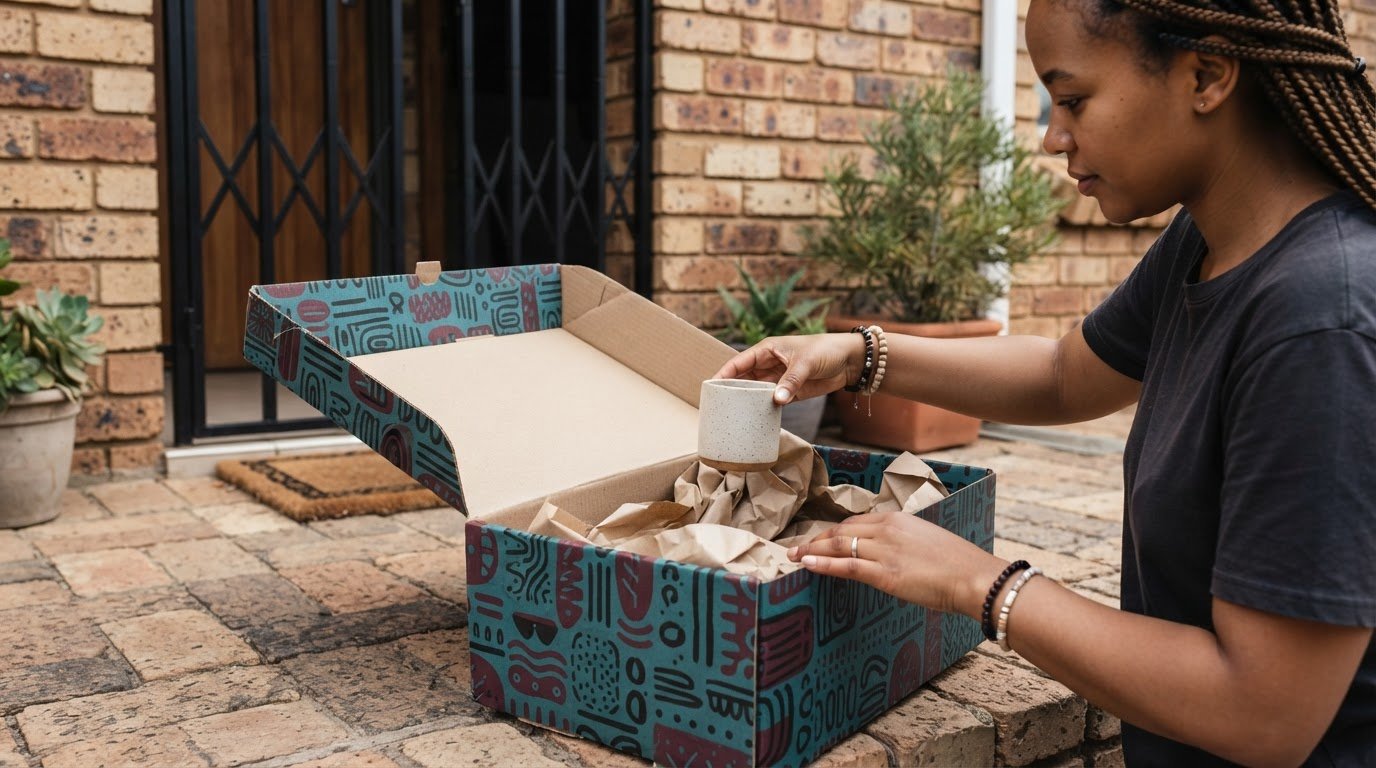
Packaging protects the printed work during handling and transport. Orders of 100 or more folders are double-boxed for protection. The printer can plan the packing format around the order’s contents and destination. For example, folders travelling with loose brochures need careful packing to keep the inserts together.
- Assembly: Confirm whether folders arrive empty or with inserts.
- Sorting: Identify separate versions by team, product or destination.
- Quality checks: Review folds, pockets, print and included materials.
- Packing: Use the agreed packaging approach for safe handling.
Delivery planning starts with the required arrival date and destination details. Share the receiving address, a named contact and any access instructions with the printer. If folders are going to several branches, provide a clear allocation for each location. A branch list showing quantities by destination helps ensure each sales team receives the right version.
Keep the production schedule aligned with your campaign calendar. A product launch, exhibition or client meeting may have a fixed date. Allow time for artwork approval, printing, finishing, assembly and transport. Changes to inserts or delivery destinations can affect coordination, so communicate them before packing begins.
For a smooth handover, keep one approved contents list and one delivery plan. Confirm the final folder version, insert order and destination details in writing. These decisions give the printer clear production instructions and make it easier for your team to receive the finished materials.
Ready to plan printed folders and their delivery? Discuss your folder printing brief and outline the contents, assembly needs and destinations.
Print It ZA print and packaging: Point of Sale (POS) Displays
Print It ZA offers printing and packaging services that can connect sales folders with Point of Sale (POS) Displays for a consistent brand presentation. For businesses in Gauteng, including Johannesburg, this can link client meeting materials with the displays customers see in retail settings. Presentation Folders organise sales documents, while catalogues and books provide more detailed product or company information.
Bring the folder design, retail display requirements and intended materials together in one project brief. This gives the production team context for aligning colours, messaging and visual style across printed pieces for your Gauteng audience. The result is a coordinated set of materials for client presentations and point-of-sale use.
Contact Print It ZA print and packaging to discuss your folder and display requirements.
Build your next sales touchpoint
Think beyond a single meeting. A folder can be part of a wider sales experience, supporting conversations before, during and after a customer visit. Keep the visual direction consistent across the materials customers encounter, so each interaction feels connected rather than drawn from separate campaigns.
Custom printed folders for sales teams can sit alongside related printed pieces as your communication needs grow. Print It ZA offers books, catalogues and brochures for presenting more detailed product information or company stories. Choose each item for a clear purpose, and use the folder to bring the set together.
As your products or campaigns evolve, plan materials that can adapt without losing a recognisable brand style. A considered print brief connects your sales message with the customer experience you want to create. It also gives your team a clear starting point for future campaigns and presentations.
Your next step is to shape a brief around your audience, sales setting and intended impression. Contact Print It ZA print and packaging to discuss your requirements and move your next project forward with confidence.
Frequently Asked Questions
Can I get a sample of the folder and paper stock before ordering?
Request a physical sample to assess the paper’s feel, stiffness and printed finish before approving production. A sample lets you judge details a screen proof cannot show, such as how the stock handles and how a coating feels. Remember that a digital proof is for reviewing artwork and layout, not for assessing the physical paper or folder construction.
Do I have to assemble my branded presentation folders myself?
No, assembly can be part of the production plan. Specify whether folders should arrive empty or packed with agreed inserts, such as a brochure and product sheet. If different sales teams need different materials, provide a separate contents plan for each version. Clear instructions help the printer assemble and sort the sets consistently for distribution.
How can a printer customise the inside pockets of my presentation folders?
A printer can tailor pocket artwork and layout to the folder’s contents. Options may include branded colour, a short message or a business-card slit. Share the inserts and card the folder must hold so pocket placement suits their size and position. For example, a slit can keep a salesperson’s contact card visible above the documents.
How many sheets of paper can my presentation folders hold?
A standard folder configuration holds 20 sheets per pocket when using 20lb bond paper. The practical capacity changes with the thickness and format of the contents. A folded brochure or heavier stock takes more room than a single flat sheet. Plan the insert set together, especially if each pocket must close neatly and remain easy to use.
What is the difference between reinforced and non-reinforced presentation folders?
A reinforced folder has added support in areas that experience more handling, while a non-reinforced folder uses standard construction. This can affect stiffness and how the folder withstands repeated use. For a one-off client presentation, a lighter structure may be suitable. For folders carried regularly by a sales representative, discuss durability and intended use with the printer.
What is the turnaround time for printing and shipping my folders?
Turnaround depends on the production stages, approved artwork, finishing, assembly and delivery destination. Custom slits on the S-01 Standard Folder add 3 days to turnaround. Include any special finishing or packing requirements in the schedule, and plan around the date your sales team needs the folders. Artwork changes after approval can also affect production coordination.
What custom folder sizes, styles, pockets, and finishes are available in South Africa?
Options depend on the folder specification. The S-01 Standard and S-01E Economy Folder have finished dimensions of 228.6 × 304.8 mm. The Standard offers gloss, dull, flood UV, soft-touch and spot UV coatings. The Economy Folder is available with 4/0 or 4/4 full-colour printing. Pocket layouts and business-card slits can also be selected to suit the contents.
What artwork and file specifications do South African folder printers require?
Use the printer’s folder template and supply final artwork as a print-ready PDF where possible. Include linked images and required fonts, and clearly identify the front, back, inside panels and pocket artwork. Share approved logos, final copy and colour references. Before production, review the proof for spelling, contact details, fold positions and artwork close to pocket edges.