
A flimsy, illegible booklet can ruin an unboxing experience before your customer even turns on your device. When specifying instruction manual printing for products, physical documentation is far more than an operational afterthought. It is a critical touchpoint for safety compliance, brand trust, and reducing expensive customer service returns.
You’ve likely wrestled with the common headaches: schematics blurring through lightweight stock, torn pages during transit, or high unit costs on low-run language editions. Getting technical documentation right means balancing durable presentation with tight packaging timelines and strict unit budgets.
Discover how to specify, print, and scale durable product instruction manuals and booklets that elevate customer experience and minimize returns. We will examine how to choose between saddle-stitch and perfect binding, how to balance digital agility with high-volume litho cost breaks, and how to prepare prepress files for razor-sharp compliance warnings every time.
Key Takeaways
- Explore how commercial-grade instruction manual printing for products prevents unboxing damage and slashes return rates.
- Identify the right binding method, from saddle stitching to lay-flat alternatives, based on page count and packaging space.
- Calculate the cost-effective crossover point between agile short-run digital production and high-volume sheet-fed litho printing.
- Avoid costly trim mistakes and illegible safety schematics using practical prepress file setup specifications.
- Streamline supply chain logistics by pairing technical booklet manufacturing with complete outer retail packaging under one roof.
Why Product Instruction Manual Printing Demands Commercial Grade Quality
A customer tears open your retail box, pulls out your hardware, and unfolds the guide. That booklet represents the final physical handshake of your unboxing journey. If the pages are flimsy, smeared, or torn along the spine, customer excitement quickly sours into doubt. High-grade instruction manual printing for products turns basic documentation into an asset that reinforces build quality, safeguards assembly, and lowers support tickets.
Treating technical literature as an afterthought creates operational friction. Clear, legible guides cut product returns by ensuring buyers assemble hardware correctly on the first attempt. When diagrams are muddy or text is missing, frustrated users pick up the phone to call support or simply return the item to the retailer.
Compliance, Safety Warnings, and Liability Protection
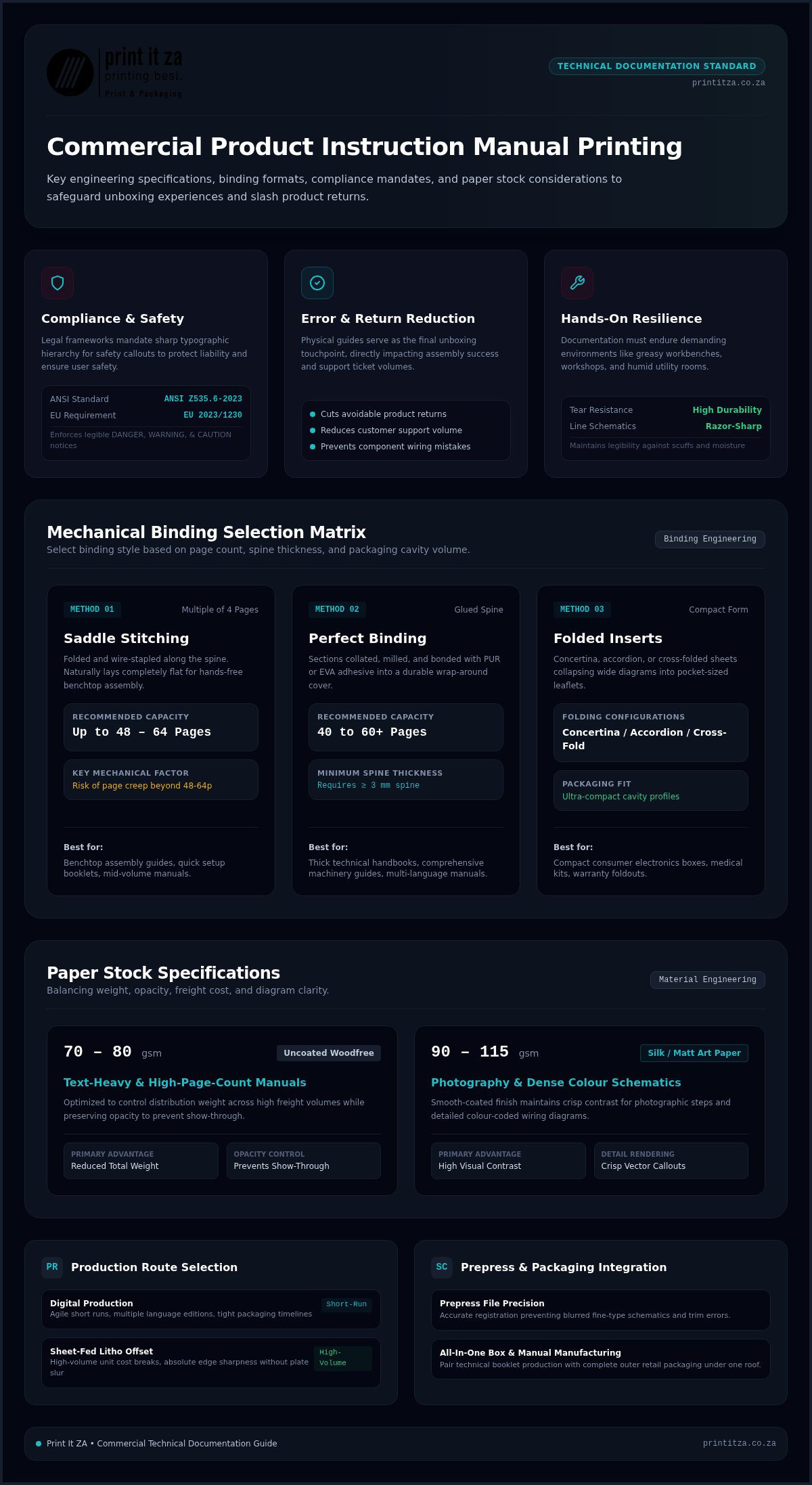
International safety standards leave zero room for amateur print reproduction. Frameworks like crisp typographic hierarchy for DANGER, WARNING, and CAUTION notices. Fine micro-typography on multilingual warranty sheets must remain sharp without ink bleeding across thin stock. For heavy machinery or consumer goods, regulations legally mandate physical instructions accompanying hardware for non-professional consumers.
Precise ink density keeps line schematics accurate. For high-volume production, using an industrial offset lithography printing process guarantees that fine vector callouts, wiring diagrams, and safety symbols maintain absolute edge sharpness without plate slur or registration drift.
The Tangible Impact on User Experience and Product Returns
Hands-on installation exposes paper to tough conditions. Assembly workshops, grease-covered garage workbenches, and humid utility rooms demand durable materials that resist scuffs and accidental tears. When buyers handle well-engineered manuals, they gain immediate confidence in the product itself.
- Fewer assembly errors: High-contrast line art prevents costly wiring mistakes and component damage.
- Reduced support volume: Logical, legible troubleshooting tables help customers resolve basic setup issues independently.
- Elevated brand trust: Crisp paper coatings and durable bindings reflect the engineering excellence inside the product itself.
Investing in commercial instruction manual printing for products protects your margins by stopping avoidable returns before they hit your logistics chain.
Selecting the Right Binding, Paper Stock, and Format for Product Manuals
Selecting the ideal format for instruction manual printing for products begins with your packaging dimensions and assembly environment. A manual that is too thick bulges your box flap. A manual bound poorly snaps shut while a technician tries to work hands-free. Balancing physical usability with weight controls distribution costs and keeps your product assembly line moving.
Binding Styles: Saddle Stitch, Perfect Bound, or Folded Sheet
Your page count directly dictates your mechanical binding options:
- Saddle stitching: Folded and wire-stapled along the spine. Page counts must always be an exact multiple of four. They naturally lay flat on workbenches for effortless benchtop assembly. Beyond 48 to 64 pages, you risk visible page creep where inner leaves push outward.
- Perfect binding: Sections are collated, milled, and glued with PUR or EVA adhesive into a wrap-around cover. This style requires a minimum spine thickness of 3 mm, making it suitable for thick technical handbooks over 40 to 60 pages.
- Folded inserts: Concertina, accordion, or cross-folded sheets collapse broad diagrams into pocket-sized leaflets. They slip effortlessly into compact electronics boxes and medical kit cavities.
As outlined in the CPSC guide to developing consumer product instructions, physical layout directly impacts how quickly users locate critical assembly steps and warning notices.
Paper Stock Selection: Balancing Weight, Opacity, and Cost
Paper stock affects both tactile quality and freight volume across your supply chain. For text-heavy, high-page-count manuals, 70 to 80 gsm uncoated woodfree paper reduces overall weight while keeping opacity high enough to prevent show-through. For manuals with detailed photography or dense colour diagrams, 90 to 115 gsm silk or matt art paper maintains crisp contrast.
Self-cover formats use the same lightweight paper inside and out, keeping unit printing costs down for high-volume consumer goods. When equipment faces greasy workshops or outdoor weather, pair an 80 gsm interior with a 170 to 250 gsm cover finished in a protective matt lamination. If you aren’t sure which spine or fold fits your packaging insert tray, partnering with specialists in booklet and brochure printing lets you review physical prototypes before mass production begins.
Digital vs. Litho Printing: Choosing the Cost-Effective Production Route
Volume dictates your press technology. Deciding between high-speed digital and commercial sheet-fed litho determines your unit economics and how quickly pallets reach your fulfillment lines. Balancing setup expenses against volume savings keeps your project on budget.
For instruction manual printing for products, the tipping point between digital and litho generally sits between 1,000 and 1,500 units. Digital requires zero plate manufacturing, making it the most cost-effective method for short runs. Above that threshold, commercial litho spreads fixed setup and make-ready calibration costs across thousands of sheets, dropping per-unit production costs by around 40% to 70%.
When Digital Print Wins: Short Runs, Prototyping, and SKUs
Agile engineering cycles thrive on digital production. When products undergo continuous firmware updates or rolling Engineering Change Orders (ECOs), short digital runs of 200 to 800 copies protect you from holding piles of obsolete paper. Digital workflow advantages include:
- Localized language splits: Split a batch into regional variants without incurring separate plate charges for French, Portuguese, or Swahili.
- Physical packaging checks: Produce accurate prepress mockups to ensure the saddle-stitched manual slips cleanly into cardboard inserts without pinching.
- Regulatory compliance updates: The IEC/IEEE 82079-1 standard for product instructions requires accurate, current guidance, which digital presses let you update instantly between production batches.
When Litho Print Wins: High-Volume Industrial Scaling
When you release a consumer appliance or automotive accessory at commercial scale, sheet-fed litho printing is unmatched. Running 5,000 to 50,000 instruction booklets through high-speed presses drives unit prices down to pennies per unit while delivering consistent ink coverage.
Lithographic presses also shine when handling complex vector line work. Intricate wiring schematics and micro-callouts maintain sharp definition across long runs. If you produce retail goods, manufacturing both your instruction booklets and carton boxes in the same production environment guarantees that print finishes match seamlessly. For industrial production, partner with professional printing services in Johannesburg to balance your high-volume runs with precision bindery.
Prepress Checklist: Preparing Your Technical Artwork for Flawless Printing
A production delay on your user guide can hold up your entire assembly line. Catching prepress errors early prevents costly press re-runs and ensures warning symbols remain pin-sharp. When preparing files for instruction manual printing for products, technical artwork requires far more rigorous separation than standard commercial flyers.
Small typography and fine architectural details demand strict digital discipline before hitting plates. Setting body copy and dimension callouts to 100% K (single-plate black) set to Overprint prevents colour registration fringing. Never render body text in four-colour "Rich Black," because microscopic mechanical shifts on high-speed presses will blur delicate letters and compliance symbols.
Resolution, Line Weights, and Vector Schematics
Preventing pixelated schematics comes down to asset resolution and stroke weight settings in your layout software:
- Resolution thresholds: Save photographic imagery at a minimum of 300 DPI at 1:1 scale. Save monochrome rasterized diagrams or bitmap CAD exports at 1200 DPI to avoid jagged diagonal edges.
- Minimum stroke weights: Keep hairline rules and exploded assembly paths above 0.25 pt (preferably 0.5 pt). Anything thinner risks dropping out completely during plate exposure or press impression.
- True vector artwork: Convert CAD schematics into vector EPS or PDF assets rather than rasterizing them. Vectors scale cleanly across every manual size without fidelity loss.
- Prepress PDF standards: Export your print-ready mechanicals conforming strictly to PDF/X-1a:2001 or PDF/X-4 standards with embedded fonts.
Margins, Safe Zones, and Creep Compensation
Trimming guillotines slice thousands of sheets in seconds. Always extend full-bleed graphic elements at least 3 mm past your final trim boundary. Keep all critical safety copy, step numbers, and wiring keys within a 5 mm quiet margin from the outer edge.
Binding mechanics dictate your gutter requirements. Saddle-stitched booklets over 32 pages demand automatic creep (shingling) compensation, as the bulk of inner folded sheets pushes content outward. For perfect-bound booklets, widen inner spine margins to 10 mm or 15 mm so diagrams don’t disappear into the glue fold.
Coordinate your book dimensions directly with custom packaging manufacturers in Johannesburg so your completed inserts drop neatly into thermoformed trays or box compartments. To eliminate prepress guesswork, connect with the technical team at Print It ZA for an early structural review of your print mechanicals.
Procuring Product Manuals with Print It ZA: Speed, Precision, and Scale
A missed packaging deadline halts your entire distribution pipeline. When assembly plants wait on printed documentation, stock sits idle in warehouses, draining operational capital. Print It ZA eliminates these bottlenecks by serving as an integrated manufacturing partner for high-precision technical documentation, instruction booklets, and custom outer packaging.
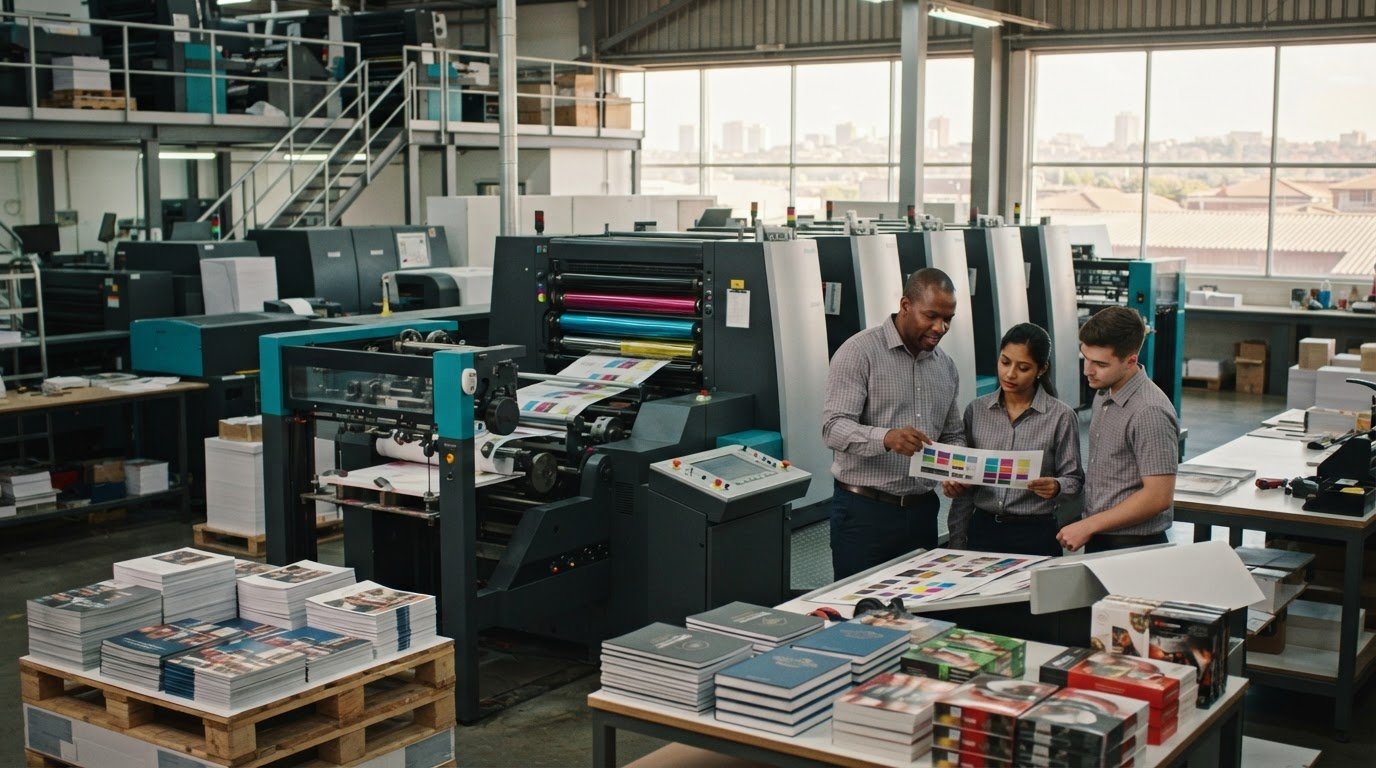
Operating a 24/7 commercial manufacturing facility in Midrand, Gauteng, Print It ZA produces both agile digital runs and high-volume sheet-fed litho orders under one roof. Established under Managing Director Peter Gird in 2005, the facility combines decades of pressroom expertise with advanced bindery infrastructure. This direct setup eliminates print brokers and third-party communication gaps, ensuring your instruction manual printing for products adheres to strict quality benchmarks.
Seamless Packaging and Manual Print Integration
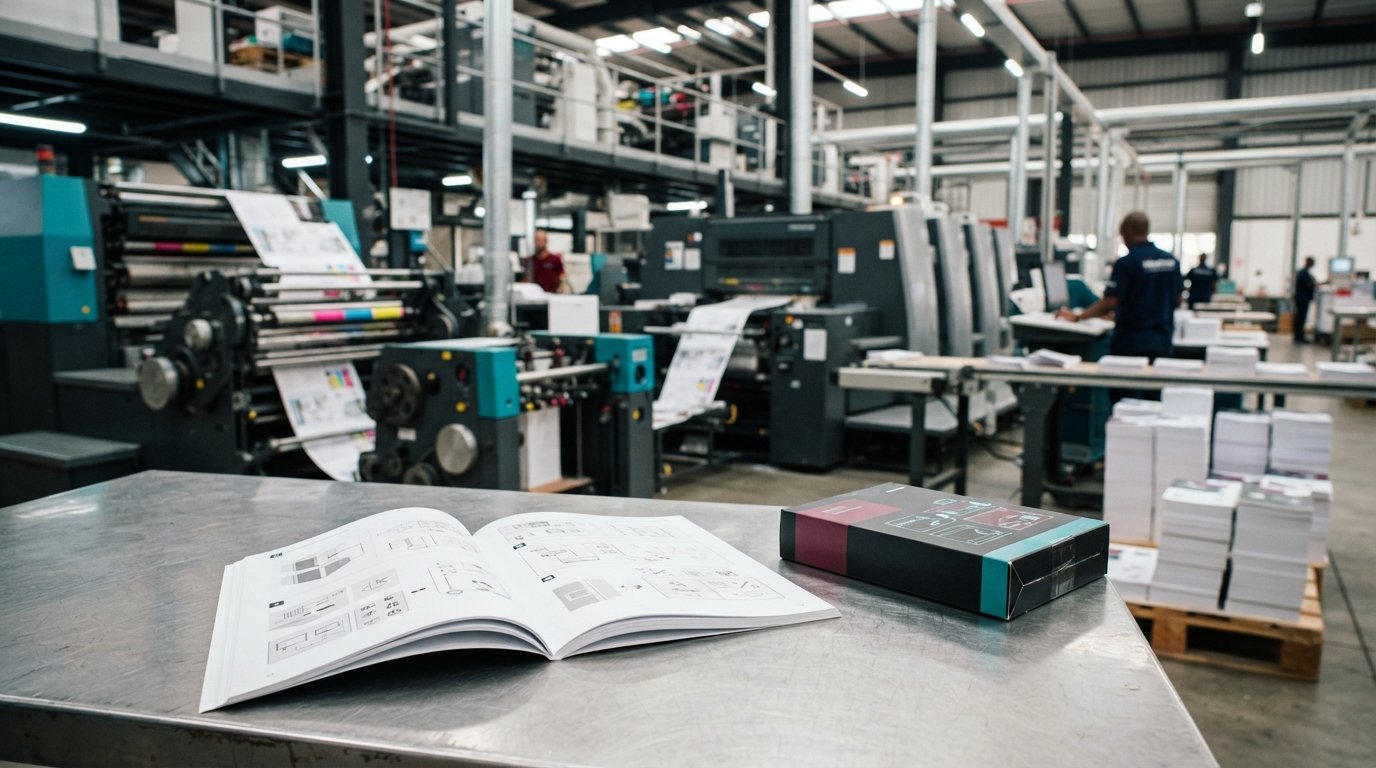
Consolidating your supply chain under one roof keeps your branding unified. When you print technical inserts with one vendor and retail boxes with another, slight ink shifts or dimensional mismatches often cause box flaps to buckle. Print It ZA manufactures both your documentation and primary packaging concurrently:
- Matched colour fidelity: Maintain identical brand palettes across outer retail cartons, quick-start guide covers, and inner instructional leaves.
- Precise cavity fit: Bindery teams fold and trim booklets to match internal packaging insert trays with sub-millimetre accuracy.
- Single-source procurement: Simplify accounting and logistics by managing booklets, inserts, and retail packaging on one purchase order.
Discover our plant’s machinery footprint and finishing lines by exploring our print shop in Johannesburg.
24/7 Print Production and Reliable Nationwide Logistics
Around-the-clock press operation keeps your manufacturing schedule intact. Our 24/7 print production cycle allows high-priority engineering updates and urgent reprint runs to clear bindery without stalling factory shifts. Experienced prepress specialists review your mechanical files upfront, checking bleeds, live areas, and fine vector rules to prevent costly press stops.
Finished runs receive protective bulk shrink-wrapping, boxing, and secure strapping to safeguard paper against warehouse dust and handling scuffs. Situated along the N1 corridor in Midrand, our distribution network coordinates and dispatches across Gauteng alongside dependable freight transport across South Africa. When your operations require reliable instruction manual printing for products, our team delivers the speed and scale your product launch demands.
Elevate Your Unboxing Experience with Precision Print
Your product’s user documentation is the vital bridge between unboxing and successful operation. Choosing the right binding mechanics, matching run volumes to digital or litho presses, and enforcing strict vector prepress standards keeps your customers safe, informed, and confident. High-grade instruction manual printing for products safeguards your operational margins by stopping avoidable customer support queries and returns in their tracks.
Print It ZA turns technical documentation manufacturing into a reliable, streamlined process. the commercial facility in Midrand combines dual high-speed litho and digital printing lines under one roof. Whether you require agile short runs for regional firmware variants or massive industrial volumes bundled with matching retail packaging, our bindery and press crews are equipped to handle your deadlines with surgical precision.
Ready to enhance your packaging supply chain? Request a fast commercial print quote for your product manuals and let’s get your next manufacturing batch rolling on press.
Frequently Asked Questions
What is the most cost-effective binding method for product instruction manuals?
Saddle stitching is by far the most economical choice for booklets under 64 pages. It uses metal wire staples driven through the spine fold, requiring minimal setup and no adhesive drying times. This keeps unit costs exceptionally low for commercial manufacturing. For high-volume consumer goods, this binding format runs rapidly through automated inline collators, making it ideal for tight production budgets.
Can instruction manuals be printed on lightweight paper without ink show-through?
Yes, modern 70 to 80 gsm woodfree uncoated sheets offer high opacity specifically designed to stop show-through. Commercial presses control ink density precisely, allowing fine line art and text to print cleanly on both sides without visual bleeding. If your technical manual features heavy flood coats or solid color illustrations, stepping up to a 90 gsm silk stock ensures total opacity without adding excess freight weight.
How do I choose between saddle stitching and perfect binding for my manual?
Base your decision strictly on page count and hands-free usability. Saddle stitching works best for thinner guides up to 64 pages, laying completely flat on work surfaces during assembly. Perfect binding requires a minimum spine thickness of 3 mm, generally needing at least 40 to 60 pages. It offers a professional squared spine suitable for comprehensive machinery manuals, automotive handbooks, or multi-language product catalogs.
What file format is required to ensure fine technical diagrams print clearly?
Export your artwork as a press-ready PDF conforming to PDF/X-1a:2001 or PDF/X-4 standards with all fonts converted to outlines or embedded. For optimal instruction manual printing for products, ensure vector schematics remain unrasterized. If using bitmap images, set continuous tone graphics to 300 DPI and technical CAD line work to 1200 DPI bitmap resolution. Keep all fine dimension callouts formatted in pure 100% black rather than process rich black.
Can Print It ZA produce folded leaflet inserts instead of multi-page booklets?
Yes, Print It ZA produces a full range of precision-folded leaflets, concertina inserts, and multi-panel cross folds. Operating out of the Midrand facility in Gauteng, the high-speed folding units collapse extensive instructional and compliance sheets into compact inserts. These fit securely into narrow product cartons, blister packs, and medical packaging cavities without requiring mechanical stitching or spine adhesives.
How does the total page count affect spine creep in saddle-stitched manuals?
Thick saddle-stitched manuals experience page creep because inner folded sheets naturally push outward past outer sheets. When trimmed flush by the bindery guillotine, inner pages end up slightly narrower than the cover. For manuals exceeding 32 pages, our prepress team in Johannesburg applies automatic creep compensation, shifting inner page margins incrementally inward so live text and margin spacing stay uniform throughout the booklet.
Can instruction manual printing be bundled directly with custom retail packaging?
Yes, bundling your documentation with custom boxes streamlines your entire manufacturing chain. Print It ZA manages instruction manual printing for products alongside bespoke retail packaging and die-cut trays under one roof. Combining these print lines at a 24/7 Midrand printing plant guarantees uniform brand colours across every component, prevents sizing mismatches, and simplifies freight dispatch across Gauteng and nationwide across South Africa.
Contact Print It ZA today, for a Free Quote and Speedy Service.
Print It ZA, we deliver Printing Best!