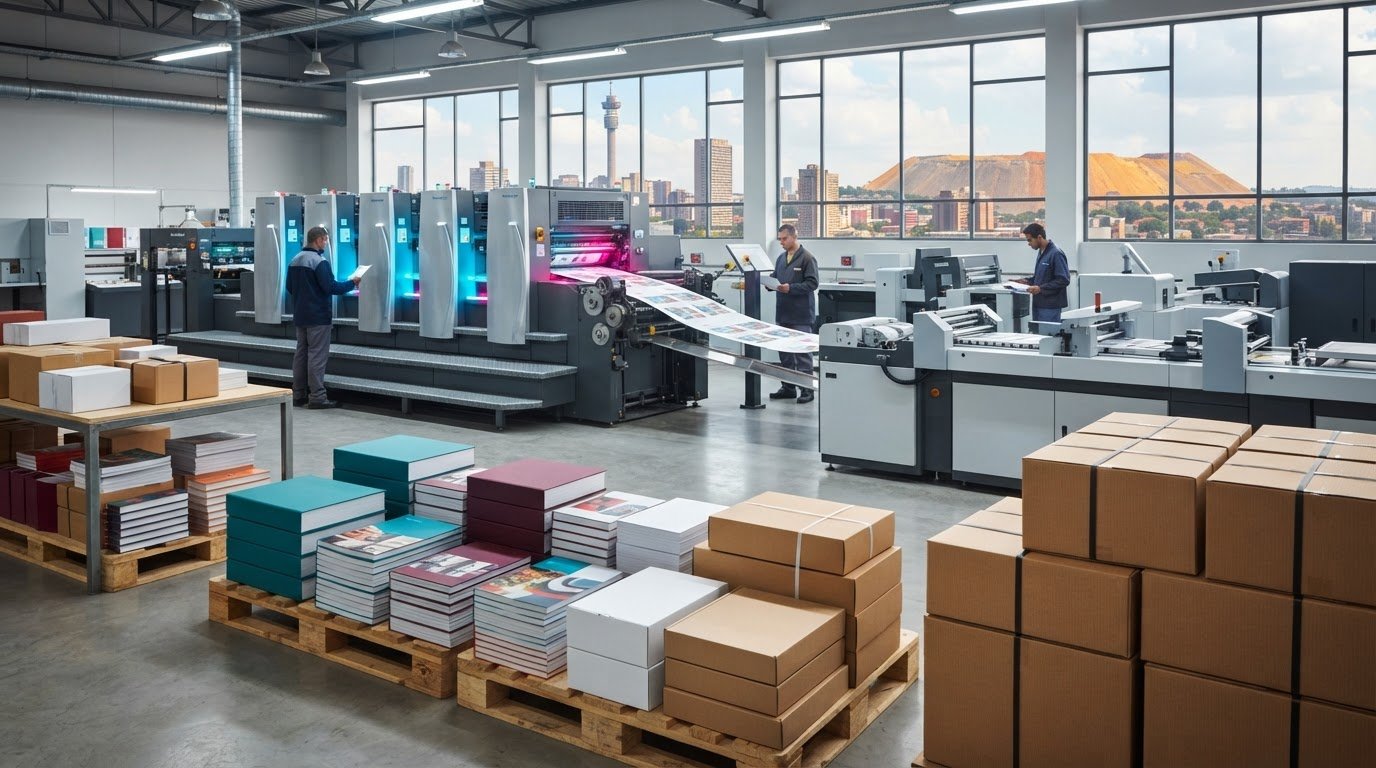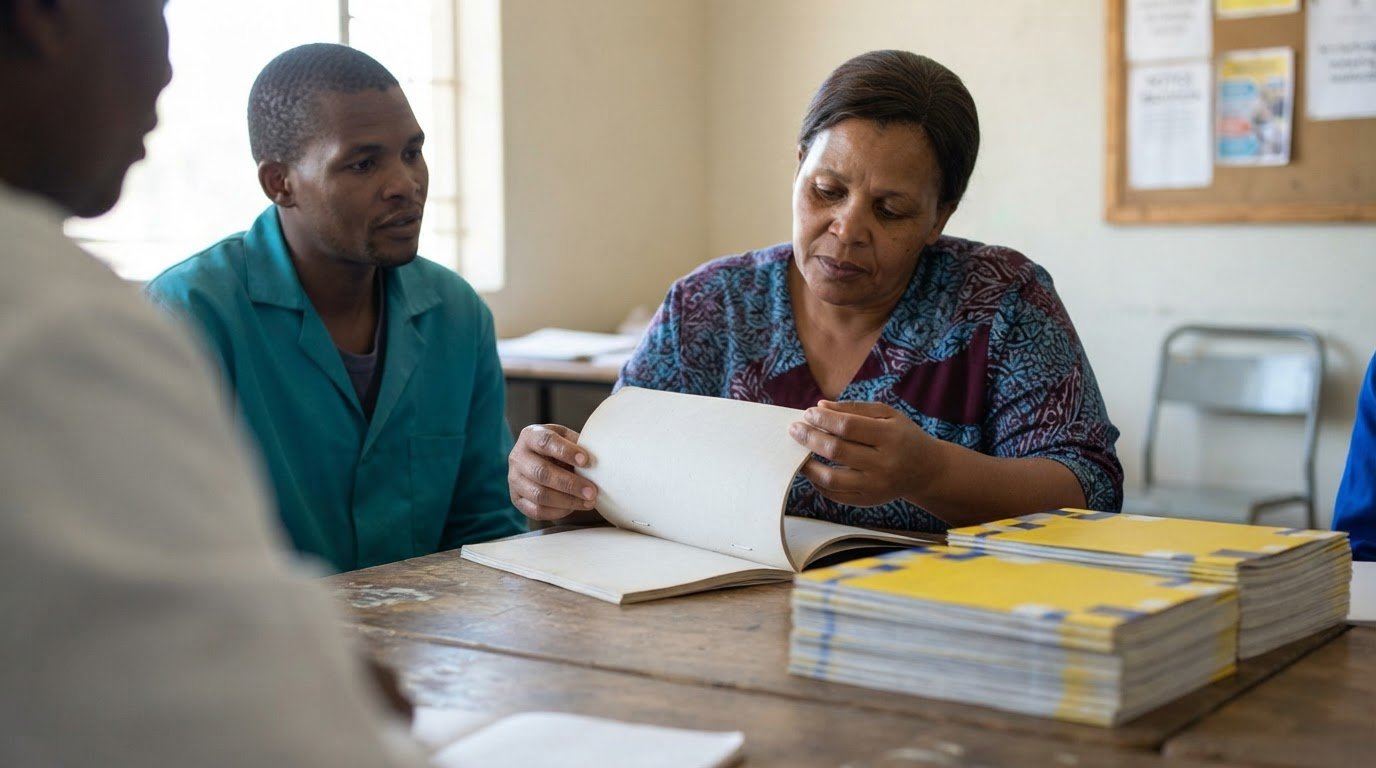
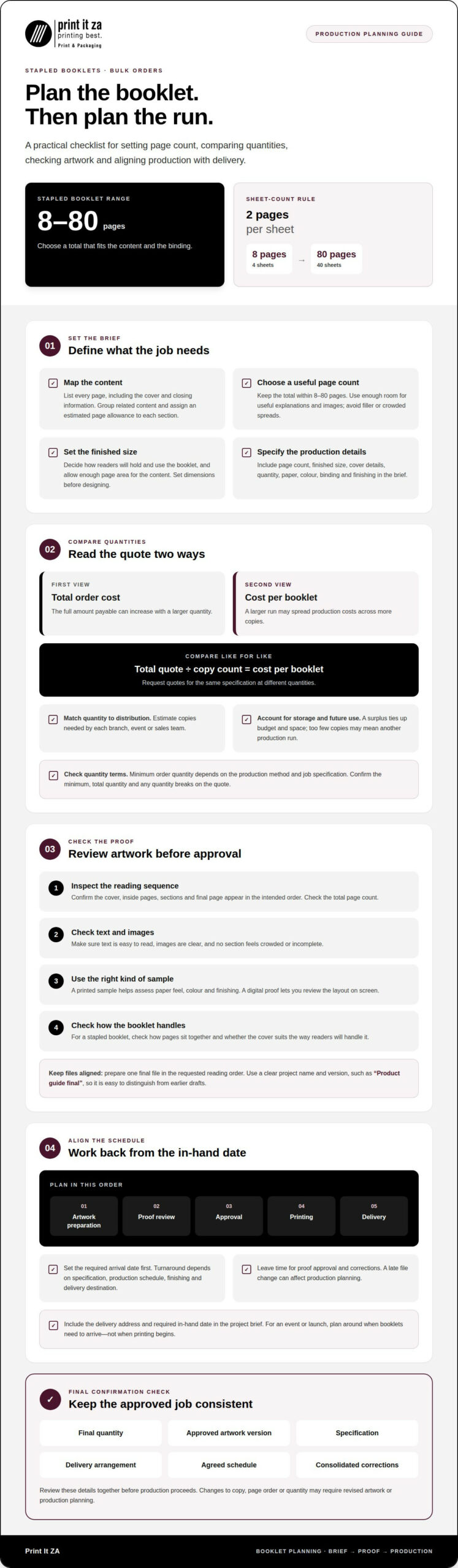
Staple-bound booklets can run from 8 to 80 pages, with each sheet contributing two pages. That gives you a clear starting point when planning print booklets in bulk in Johannesburg, while your final page count, format and artwork shape the production brief.
A design review before printing helps you catch layout issues while there’s still time to refine the file. Check that text is easy to read, images are clear and pages follow the right order, then approve the artwork for production. You’ll also want to understand how quantity affects your quote, how page count influences the format and which sizes suit your content. This guide covers those decisions in practical terms, from preparing files to comparing booklet specifications, so you can plan a print booklets in bulk order with fewer surprises.
Key Takeaways
- Compare the total order cost with the cost per booklet to understand how quantity affects your budget.
- Prepare a clear production brief with your page count and finished size before requesting a quote.
- Choose a booklet format that gives your content enough room without adding unnecessary pages.
- Consider how paper stock and binding influence the booklet’s appearance and handling.
- Review your artwork carefully before approving it for print, paying attention to text, images and page order.
Bulk order quantities and per-booklet savings
Print It ZA provides Booklet Printing for Johannesburg customers, with delivery across South Africa. Include your delivery address and required in-hand date in the project brief so delivery can be factored into planning.
For a bulk order, compare the full quote as well as the cost per finished booklet. Costs depend on the specification, including quantity, paper, colour, binding and finishing. A larger quantity may spread production costs across more copies, but it also increases the total amount payable. Request quotes for the same specification at different quantities, then divide each total by the copy count to see how the per-booklet cost changes.
Choose a quantity that matches distribution, not just the lowest unit cost. For example, estimate how many booklets each branch, event or sales team needs, then allow for storage and future use. A surplus ties up budget and takes up space; too few copies can mean arranging another production run. The minimum order quantity depends on the production method and job specification. Make sure the quote states the minimum, total quantity and any quantity breaks clearly.
A sample can help you assess paper feel, colour and finishing before committing to a larger run. A printed sample shows the physical materials, while a digital proof lets you review the layout on screen. If you need a sample to make your decision, allow time for its production and approval in your schedule. For a stapled booklet, check how the pages sit together and whether the cover suits the way readers will handle it.
Before uploading artwork, prepare one final file with pages in the requested reading order. Use a clear project name and version, such as “Product guide final”, to distinguish it from earlier drafts. Include the finished size, page count, cover details and quantity in your order information. A well-labelled file and consistent instructions help keep the approved artwork aligned with the production brief.
Turnaround depends on the specification, production schedule, finishing and delivery destination. Set your required in-hand date first, then work backwards through artwork preparation, proof review, approval, printing and delivery. Leave time for corrections, since a late file change can affect production planning. For an event or launch, plan around the date the booklets need to arrive, not the date printing is due to begin.
Your order confirmation should capture the final quantity, approved artwork version, specification, delivery arrangement and agreed schedule. Review these details together before production proceeds. A last-minute change to copy, page order or quantity can require revised artwork or production planning, so send corrections in one consolidated update.
What are the minimum and maximum number of pages for booklet printing?
Page count shapes how much content fits, how the booklet reads and which binding suits it. For a stapled booklet, use the available range as a practical starting point.
Minimum and Maximum Page Counts
Stapled booklets are available from 8 to 80 pages. Each sheet of paper has two pages, so plan the total page count around the physical sheets needed. Start by listing every intended page, including the cover and any closing information. Then check that your chosen total fits the page range and suits the binding and finishes you have in mind.
For a simple planning example, an 8-page booklet represents four sheets when counting two pages per sheet. An 80-page booklet represents forty sheets using the same calculation. These examples help translate a finished page count into a basic sheet count. Treat the calculation as a planning aid, then organise the artwork in its intended reading sequence.
A lower page count suits focused content, such as a short product overview or event programme. More pages create room for detailed explanations, illustrations or several content sections. Choose according to what readers need, rather than trying to fill every page. Each additional page should improve clarity or usefulness.
Page Counts and Booklet Uses
A short custom booklet can present a compact message, while a longer one can support a detailed guide or catalogue. Match the page count to the content, the reader’s purpose and how the booklet will be used. A training guide, for example, may need room for instructions and supporting images; a concise event handout may need less.
Before laying out the inside pages, group related information into sections. Give each section an estimated page allowance, then review the total against the 8-to-80-page range. This step makes gaps and crowded spreads easier to spot before design work is finalised. It also helps you decide whether content should be edited or given more space.
Consider binding alongside page count, since it affects how the finished booklet opens and holds its pages. Finishes influence presentation, but they can’t replace a clear content plan. If your draft feels too short, add useful material rather than filler. If it runs long, tighten repeated explanations or move secondary details elsewhere.
Review the full sequence from cover to final inside page. Confirm that headings, images and sections appear in the right order, then check the total page count before preparing the print file. Planning page by page helps keep the finished booklet focused and consistent.
Available booklet sizes
The right finished size depends on the content, how people will use the booklet and where they’ll read it. Set the intended dimensions before designing so the page layout and production file match the final format.
Start with the reader’s setting. A booklet handed out at a counter should be comfortable to hold and easy to browse. A guide used beside equipment may need enough page space for instructions and images. If you want a premium presentation, remember that size alone won’t create it. Paper, colour and finishing also shape the result.
Next, consider the content. A layout with wide tables or detailed diagrams needs more usable page area than a short, text-led piece. For example, a product guide showing several items on each spread may benefit from a more spacious format. A compact event programme may be easier to carry. Review a sample spread at its intended size before finalising the design.
Use this practical sequence to decide on a format:
- Define the use: note whether readers will carry, browse or refer to the booklet while working.
- Check the content: identify the widest images, tables and headings that must fit.
- Choose the orientation: decide whether portrait or landscape better supports the page layouts.
- Set finished dimensions: record the width and height in mm in the production brief.
- Review a sample page: check legibility, spacing and image placement at the planned size.
Ask for the current size templates before laying out the final artwork. A template gives the designer a clear page boundary and helps align content with the chosen format. Don’t resize a completed design by simply shrinking every element. Small text may become difficult to read, and images or tables may lose clarity or feel cramped.
Binding also affects how the finished size feels in use. With saddle binding, pages fold together along the spine, so keep important text and images clear of the fold. Check the centre spread as well as individual pages. A layout that looks balanced on screen may feel crowded when the booklet is held open.
Before approving production, confirm the finished width and height, orientation, artwork dimensions and delivery requirements in one brief. This gives everyone the same reference point from design through finishing. For print booklets in bulk, a consistent specification helps keep the whole run aligned with the approved format.
Booklet starting price
The starting price for a booklet depends on its production brief, not its title or intended audience. Print It ZA provides a quote based on the project. Main cost factors include quantity, finished size, page count, paper, colour, covers, binding, finishing and delivery. Share these details together so the quote reflects the booklet you need.
Quantity affects how production costs are spread across an order. A larger run may lower the cost per copy while increasing the total amount payable. Compare quotes using the same specifications and quantities. For example, a short, uncoated booklet is not directly comparable with a longer custom booklet printed on different stock. The unit price alone won’t show whether the options offer equivalent value.
Before requesting a quote, prepare a concise specification:
- Quantity: state the number of copies required and intended distribution.
- Format: provide the finished dimensions in mm and the page count.
- Colour: explain whether the cover, inside pages or both use colour.
- Paper: describe the preferred stock, such as uncoated paper for a less glossy feel.
- Finishing: state the binding and any cover or finishing requirements.
- Delivery: give the destination and required delivery date.
Paper and covers shape both the feel and production requirements. Uncoated stock may suit a text-heavy booklet where readers need a simple, low-gloss page. A heavier cover can create a firmer outer layer than the inside pages. Choose materials to suit the booklet’s purpose: a staff reference guide has different handling needs from a short handout placed on a reception counter.
Artwork also affects the quote process. A print-ready file with the final page order and approved images gives the production team a clear basis for the job. If you need design recommendations or file preparation, include that in your request. For catalogues with product images, provide complete final content so the page count and layout match the quoted specification.
Review the quote line by line before approving it. Confirm that quantity, size, page count, paper, colour, covers, binding and delivery match your brief. If you change a specification, request an updated quote rather than relying on the earlier total. This keeps the production scope clear and lets you compare custom booklets on equal terms.
What booklet sizes, paper stocks and binding options are available?
A booklet specification brings together three choices: finished dimensions, paper for the cover and inside pages, and binding. These choices affect how the booklet looks, opens and feels in a reader’s hands. Start with its intended use, then record each choice in the production brief. The word “booklet” alone is not a complete specification.
For size, state the finished width and height in mm, plus the orientation. A portrait format may suit a text-led guide, while landscape can give diagrams more horizontal room. These are layout considerations, not a fixed list of available sizes. Have the page artwork built to the chosen finished dimensions, then review how headings, images and margins look at that scale.
Paper stock changes the visual impression and handling. Consider whether the inside pages need to support photographs, diagrams or mostly text. A product guide with full-colour images has different presentation needs from a plain reference document. Cover stock can be selected separately from inside stock, giving the outer pages a distinct feel. Explain the purpose of each paper choice in the brief rather than naming stock without context.
Binding determines how pages are held together and how the booklet opens. Staple binding is one option for booklet formats; page count and intended use should guide the decision. A booklet that readers open repeatedly for reference needs to feel comfortable in their hands. Check a sample spread near the centre, where the fold or binding may affect how the content sits.
Use this checklist to prepare a clear specification:
- Finished size: write the width and height in mm.
- Orientation: identify portrait or landscape artwork.
- Paper: describe the needs of the cover and inside pages separately.
- Binding: state the preferred method and consider how readers will handle it.
- Artwork: prepare pages for the final dimensions and binding area.
For example, a training booklet with diagrams needs a layout that keeps labels readable and essential details clear of the fold. A compact event guide may prioritise easy handling and quick page scanning. These examples show why size, stock and binding should be considered together, not as separate afterthoughts.
Before production, compare the final specification with the approved artwork. Confirm the finished dimensions, paper choices, binding and page sequence all match. Plan your booklet specifications around how readers will use the finished piece.
Print It ZA print and packaging: Books
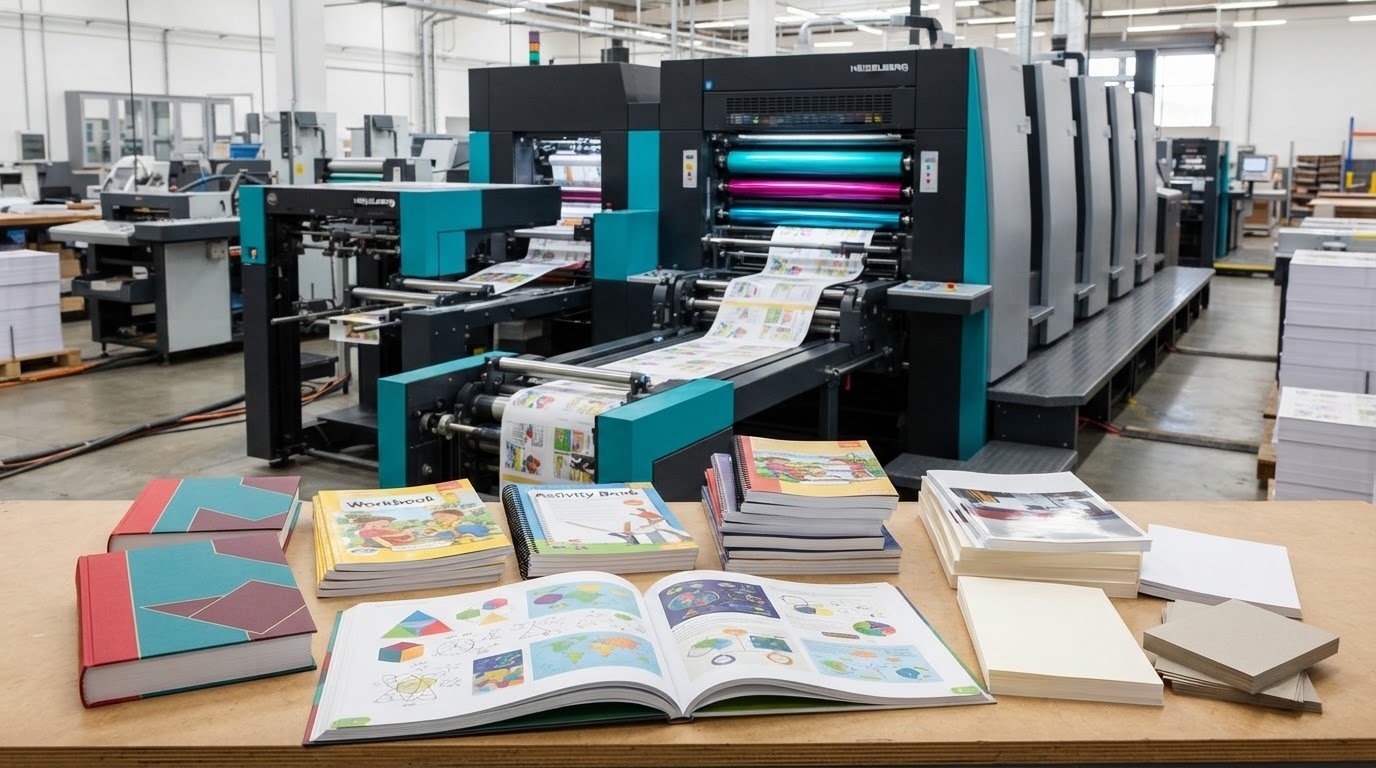
Print It ZA print and packaging produces books, catalogues, brochures and retail packaging for projects that need a coordinated print approach. If your booklet project sits alongside a longer publication or supporting marketing material, consider how each piece can work together for your readers.
For example, a product launch may call for a catalogue supported by brochures, or even branded merchandise sourced from blank apparel suppliers like Blankstyle for custom printing, while a book project may need a separate retail packaging solution. Share the purpose and intended use of each item so the production brief covers the full project. This is a practical next step when you’re ready to discuss your printed materials.
To discuss your print project, contact Print It ZA print and packaging or visit printitza.co.za.
Move your booklet project towards print
Turn your design decisions into a clear production brief. Bring together your approved artwork, intended quantity, finished format and delivery requirements. A focused brief helps keep the project aligned as it moves from planning to production.
For print booklets in bulk, consider how the booklet fits alongside other materials your audience may use. Print It ZA also offers books, catalogues and brochures to support a broader publishing or communications project.
Ready to discuss your requirements? Contact Print It ZA print and packaging and take the next step towards a booklet prepared for your readers.
Frequently Asked Questions
Can I review my booklet design before printing?
Yes. Review the final artwork before approving it for production. Check the cover, headings, image placement and contact details, then read the pages in sequence. For a staff guide, for example, confirm that instructions match the correct diagrams. Send corrections together in one clear update and make sure the approved file is the version intended for printing.
What are the binding options available for booklets?
Common options include saddle-staple binding and spiral binding. Saddle-stapled booklets suit folded pages held together along the spine, while spiral binding lets pages turn around a coil. Print It ZA print and packaging offers Spiral Binding for custom books, manuals and notebooks. Choose by considering how readers will open, carry and use the finished booklet, not appearance alone.
Where can I print booklets in bulk in South Africa?
Print It ZA provides Booklet Printing for Johannesburg customers, with delivery across South Africa. It’s a relevant option for businesses, schools, authors and organisations planning a large distribution run. Before requesting a quote, gather your artwork, quantity and project details to give the production team a clear starting point.
How much does bulk booklet printing cost in South Africa?
The price depends on the project and is provided after a quote request. Factors include quantity, page count, finished size, paper selection, colour, binding, finishing and delivery. A short text-led booklet and a full-colour product guide have different production requirements. Provide the complete specification together so the quote reflects the job you intend to print.
What is the minimum order quantity for bulk booklet printing?
The minimum quantity depends on the production method and booklet specification. A custom size, chosen binding or finishing requirement can affect how an order is planned. State the quantity you need, even if you’re still comparing options. This helps shape a suitable production brief and shows how the run can meet your distribution needs.
How do booklet printing prices compare for different quantities and specifications?
Compare quotes only when the specifications match. If an option has a different page count, paper stock or binding, its total won’t provide a like-for-like comparison. Review the full order total and per-copy figure, then consider whether differences come from quantity or production choices. This helps you judge value without overlooking what each booklet includes.
What file format, page count and artwork requirements do printers need?
Stapled booklet printing is available from 8 to 80 pages. Prepare final artwork in the printer’s accepted file format, with pages arranged in reading order and the finished dimensions recorded in mm. Check that images, headings and small text remain clear at the chosen size. Label the approved file clearly to distinguish it from earlier drafts.
How long does bulk booklet printing and delivery take in South Africa?
Timing depends on artwork approval, production method, finishing and delivery destination. Work backwards from the date the booklets must be in hand, allowing time for each stage and any artwork revisions. Print It ZA print and packaging provides free delivery for orders up to 90 kg. Include the South African delivery address in your production brief so dispatch planning reflects the destination.