
What if the biggest risk in printing a financial report isn’t the press, but an unclear handoff or an outdated file? With confidential financial report printing, you need to control what’s shared, which version is approved and how finished copies are handled. That matters when reports contain sensitive business information.
A clear brief sets practical expectations before you request a quote. It also gives your printer the details needed to plan production and avoid preventable approval errors. In this guide, you’ll learn what to include in your brief, how to assess litho and digital printing for your project, and how to manage file approvals and delivery planning.
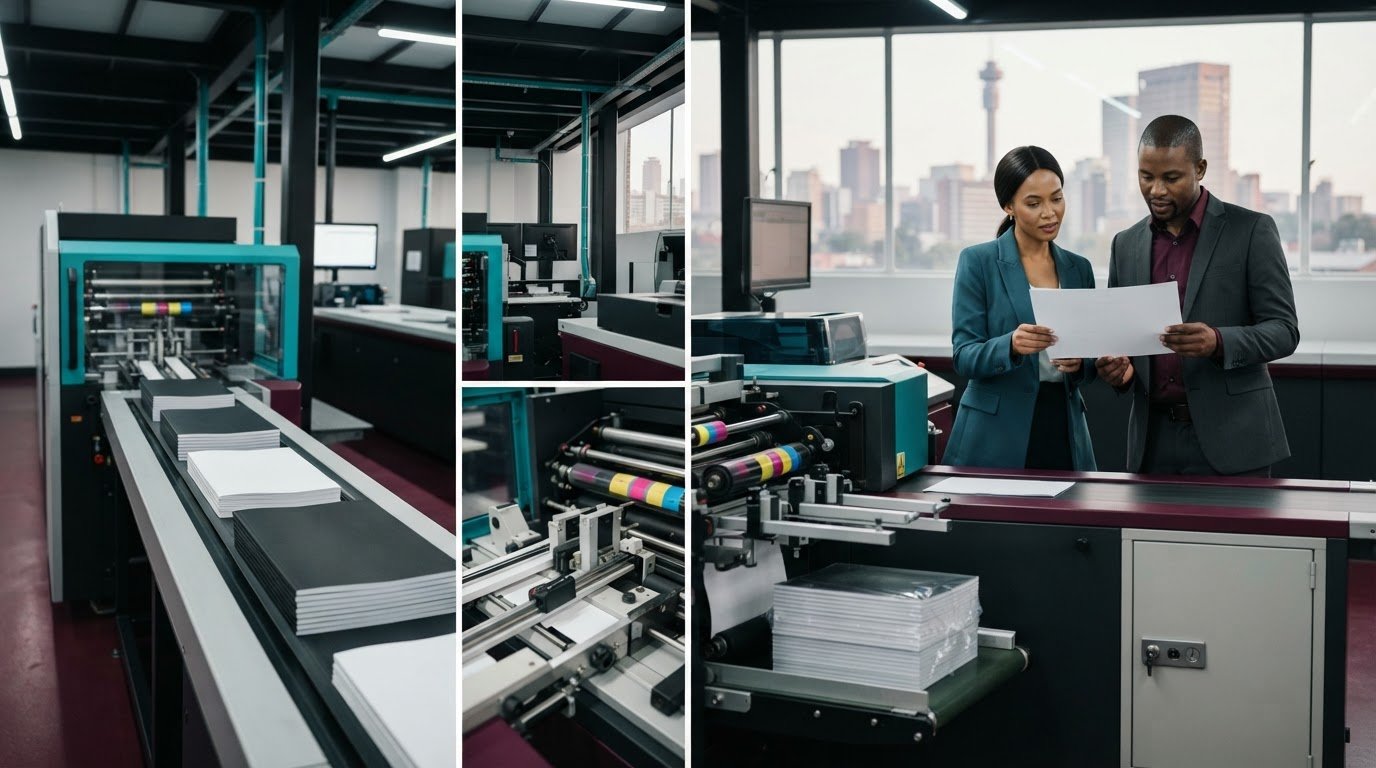
Print It ZA produces annual reports through in-house design, printing and binding, without outsourcing those production stages. Its online process starts with a quote request. After you approve the quote, you upload the files and the order proceeds to delivery. The aim is a polished report and a production path your team can plan with confidence.
Key Takeaways
- Set clear requirements for readers, copy quantities, distribution and approval ownership before requesting a quote.
- Use a single approved master file and a proof review to help catch errors before production.
- Match digital or litho printing to your report’s quantity, schedule and finish requirements.
- Compare production arrangements, proof approvals, quote scope and delivery planning when assessing confidential financial report printing.
- Bring your specifications together, from paper and binding to delivery destination, so the project can move forward with fewer avoidable changes.
Why confidential financial report printing needs a clear production brief
Confidential financial report printing means producing physical reports from sensitive business information under agreed handling and approval practices. Use the print brief to turn that expectation into clear instructions: who the report is for, how many copies you need, where they must go and who can approve the final file.
Printed reports can support board meetings, investor discussions and stakeholder communication. Their physical format also makes copy control important. A copy prepared for a meeting, for example, may have a different destination from an internal reference copy. Identifying those groups at the outset helps you set an accurate quantity and gives packing and delivery instructions a clear purpose.
Information security is often described through confidentiality, integrity and availability, principles outlined in Information Security Principles. For a print project, this is a useful lens: consider who should see the content, how the approved version stays accurate, and whether the intended recipients can access their copies.
Which information and audiences shape the print brief?
Before production begins, identify sensitive sections and the recipient groups who need the report. Then separate essential recipient copies from internal reference copies. This distinction can make your quantity and distribution plan more precise.
- Audience: Name the groups receiving reports, such as directors, investors or staff.
- Quantity and destination: Set the number of copies for each group and record where each batch should be delivered.
- Approval ownership: Identify who can approve the content, artwork and final print-ready file within your organisation.
Keep approval roles specific. One person may sign off the financial content, while another checks layout and presentation. Record who has final authority over the print file, so production doesn’t proceed on conflicting instructions or an obsolete version.
Where can confidentiality risks arise in the report journey?
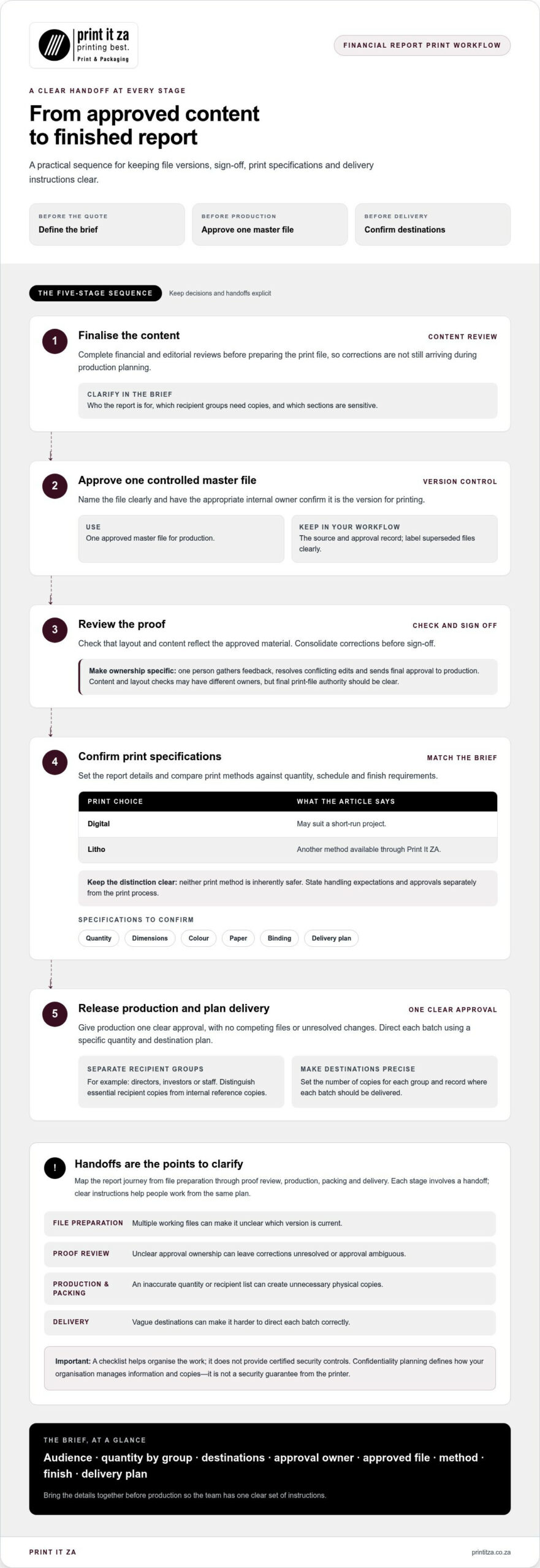
Map the journey in stages: file preparation, proof review, production, packing and delivery. Each stage involves a handoff, so give the people involved clear instructions. A checklist helps organise the work, but it does not provide certified security controls.
- File preparation: Multiple working files can make it unclear which version is current.
- Proof review: Unclear approval ownership can leave corrections unresolved or approval ambiguous.
- Production and packing: An inaccurate quantity or recipient list can create unnecessary physical copies.
- Delivery: Vague destinations can make it harder to direct each batch correctly.
Confidentiality planning means defining how your organisation manages information and copies. It isn’t a security guarantee from the printer. Make your expectations explicit in the brief, including the approved file, copy quantities and delivery destinations. This gives a Johannesburg report project a clearer starting point and helps everyone work from the same instructions.
How print choices and approvals support a controlled report workflow
A deliberate sequence connects approved content to the finished report and helps prevent last-minute changes from being mistaken for final instructions. For confidential financial report printing, choose the method and finish to suit the brief, while keeping version control and sign-off clear at every step.
- Finalise the content. Complete financial and editorial reviews before preparing the print file, so corrections aren’t still arriving during production planning.
- Approve one controlled master file. Name the file clearly and have the appropriate internal owner confirm it is the version for printing.
- Review the proof. Check that the report’s layout and content reflect the approved material, and consolidate any corrections before sign-off.
- Confirm specifications. Set the quantity, dimensions, colour, paper and binding, along with the delivery plan.
- Release production. Give production one clear approval, with no competing files or unresolved changes.
A single approved master file reduces version confusion during production. Keep the source and approval record in your organisation’s workflow, and label superseded files so they’re not mistaken for the print version.
When should a team consider digital or litho printing?
Digital printing may suit a short-run project, while litho printing is another method available through Print It ZA. Consider the report quantity, schedule and finish requirements, then compare the methods against your brief. Neither method is inherently safer. Define handling expectations and approvals separately from the print process.
Paper, colour and binding shape the report’s presentation, so include them in the quote specifications. For example, a team preparing copies for a formal meeting may want to decide how the cover and internal pages should look and feel before approving the proof. These choices guide the finished report, but they are not security measures.
How should proofs and file versions be approved?
Choose one person to gather feedback, resolve conflicting edits and send the final approval to production. Use clear version labels, and archive superseded files within your own workflow. Before the order moves into production, confirm both the approved file and finishing choices. For context on handling personal information, consult this overview of South African Data Protection Laws (POPIA).
Print It ZA handles design, printing and binding in-house without outsourcing those stages. This means fewer external production handoffs, while your team remains responsible for setting handling expectations and approving the correct file. If you’re planning an annual report, explore Print It ZA’s report printing as you shape the specifications and production sequence.
How to evaluate confidential financial report printing in South Africa
Compare the production path as well as the finished report. A useful assessment looks at who handles each production stage, how print and finishing choices fit your brief, how approvals are managed, and what delivery involves. For confidential financial report printing, distinguish production details from security assurances: an in-house workflow can clarify handoffs, but it doesn’t by itself guarantee confidentiality.
What production details matter when comparing print options?
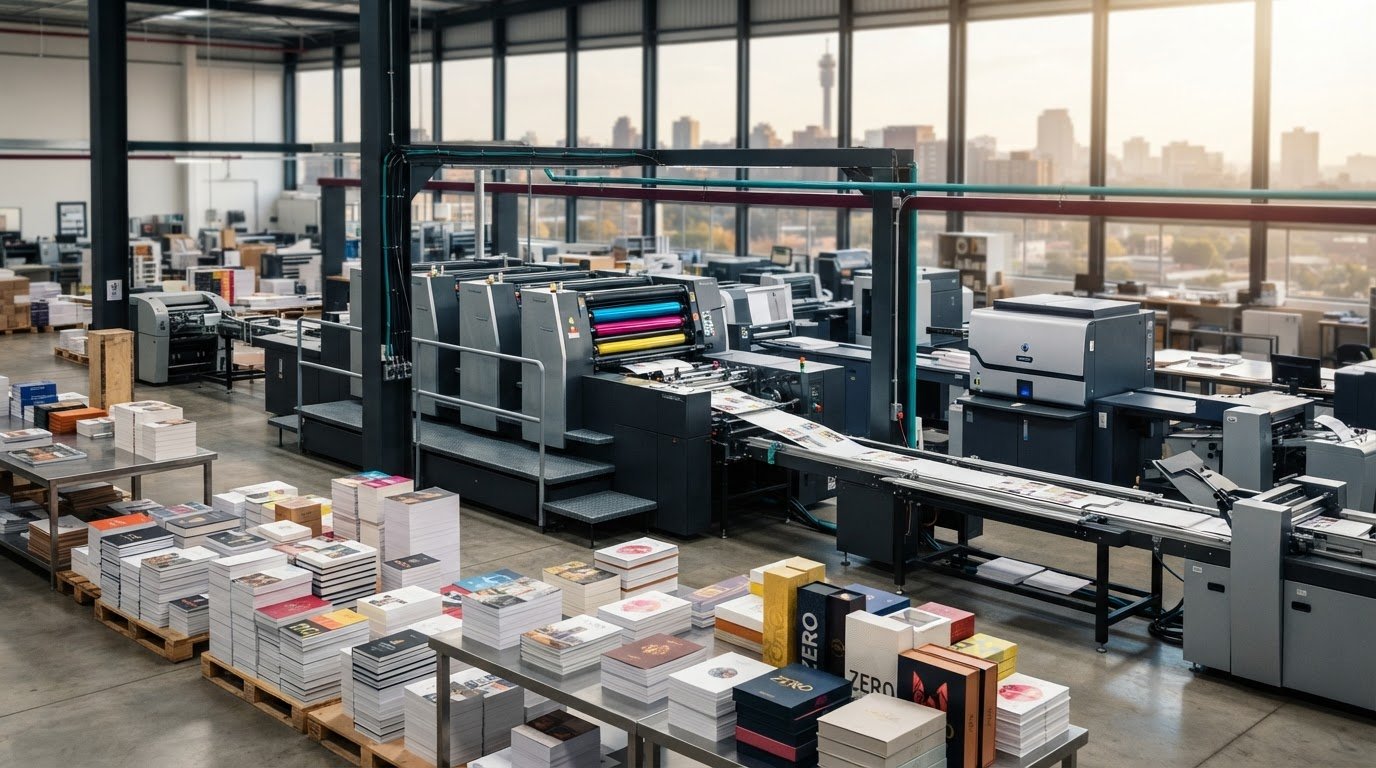
Use the same project specifications to assess each part of the workflow. Print It ZA handles design, printing and binding in-house without outsourcing. Its production facility offers litho and digital printing. These details describe the production model, not a security certification or guarantee. For wider context on local print procurement, see this guide to professional printing services in Johannesburg.
| Evaluation point | What to establish | Print It ZA print and packaging |
|---|---|---|
| Production location | Where the work is produced and how the production stages connect. | Owned production facility, with Gauteng operations supporting local customers. |
| Outsourcing | Which stages, if any, pass to external suppliers. | Design, printing and binding are handled in-house without outsourcing. |
| Print methods | Whether litho or digital printing suits the project brief. | Both litho and digital production are available. |
| Proof approvals | How your team submits corrections and approves the print-ready file. | Set your approval owner and final sign-off in the project instructions. |
| Quote scope | Whether the quote reflects report format, paper, colour and finishing. | Online quotes are based on the project requirements provided. |
| Delivery | Destination, delivery requirements and order weight. | Free door-to-door delivery anywhere in South Africa for orders up to 90 kg. |
Use the table to distinguish production arrangements from requirements your organisation must define. For example, in-house production reduces external production handoffs, but it shouldn’t be treated as proof of file-access controls, secure storage or confidentiality safeguards. Put your expectations and approval process into the project brief rather than inferring them from a printer’s production model.
How do delivery and quote details affect procurement?
Include the delivery destination and any distribution split in the brief, along with the order weight where available. These details help you assess the full project requirements rather than comparing print specifications alone. Print It ZA’s online quote process lets you submit the project details first. After quote approval, upload your files and the order proceeds to delivery.
Make sure the quote reflects the requested product, paper, colour, binding and delivery requirements. A complete, consistent brief makes options easier to compare and helps you avoid decisions based on mismatched specifications. For a Johannesburg team coordinating reports for local meetings or recipients elsewhere in South Africa, document each destination clearly before planning delivery.
How to prepare a confidential financial report for printing
A well-prepared print brief brings the report’s content, physical format and delivery plan together. This matters for confidential financial report printing because mismatched specifications or late edits can create avoidable proof changes and copy errors. Consolidate your team’s edits before requesting a quote, then make sure the source file and project details describe the same approved version.
What information belongs in the print-ready brief?
Use a single project brief to capture the choices that affect the quote and the finished report. Be precise, and assign an internal owner to resolve questions before the proof stage.
- Audience and quantity: Identify recipient groups and the required number of copies for each. Keep distribution copies distinct from internal reference copies.
- Format: State the report dimensions and page count, so the production requirements are clear.
- Colour and paper: Describe the colour requirements and selected paper for the cover and inside pages, if they differ.
- Binding: Specify the preferred binding so it can be considered alongside the report format and presentation.
- Proof approval: Name the internal reviewer and define how final approval will be communicated.
- Delivery: Provide the intended address and any distribution or packing instructions relevant to the order.
For broader design and report preparation context, consult this annual report printing guidance. Use it to inform presentation decisions, then record your report specifications in one place.
How can teams reduce file and copy errors?
Before approval, have the reviewer check the report from cover to cover, not only the pages with recent edits. Errors can be difficult to spot when checks are split across several uncoordinated files.
- Keep one clearly labelled master file as the production version. Archive superseded files in your organisation’s own workflow.
- Review page order, charts, financial figures, names and document completeness against the team’s approved content.
- Reconcile the total copy quantity with the recipient list. Decide how any surplus copies will be accounted for internally.
- Gather corrections in one place, resolve conflicting feedback, and confirm the final file and finishing specifications together.
Print It ZA’s order process starts with an online quote request. After the quote is approved, upload the files and the order proceeds to delivery. Preparing the brief first helps align your requirements with the file you submit, rather than relying on scattered notes or an earlier working draft.
With the audience, quantity, format, proof owner and destination documented, your team has a practical basis for requesting a quote and reviewing the project details. Request an annual report printing quote when your brief is ready.
Print confidential financial reports with Print It ZA
A sound buying process keeps your team’s decisions connected from the first print brief to delivery. Define how files and physical copies should be handled, approve one master file, specify the report’s print and finishing choices, then plan where the finished copies need to go. These steps give your project a clear path without treating the production model as a confidentiality guarantee.
What does Print It ZA bring to a financial report project?
Print It ZA prints annual reports using litho and digital production. Design, printing and binding are handled in-house without outsourcing, giving your project a defined production path with fewer external handoffs. That’s a practical detail to consider for confidential financial report printing, but your organisation still needs to set its own handling expectations and control approvals. Delivery is available across South Africa, with free door-to-door delivery for orders up to 90 kg.
Before requesting a quote, bring the project choices together. A brief can capture the report format and page count, copy quantity, colour requirements, paper selection and preferred binding. Add the proof reviewer, approval process and delivery destination. If you’re distributing copies to different offices or stakeholder groups, note the quantity for each destination so the production and delivery plan reflects the intended distribution.
What are the next steps to get a quote?
Start with the approved brief rather than a collection of open questions. Confirm the content is final, the production file is identified, and the print specifications match the report your team intends to produce. Clear inputs help align the quote with your requirements and give your internal approver a consistent set of details to review.
- Prepare the specifications. Record the report dimensions, page count, quantity, colour, paper and binding choices.
- Set the delivery plan. Provide the destination and any distribution details that affect how copies should be allocated.
- Request an online quote. Submit the project requirements for quote preparation.
- Approve before uploading. Once the quote is approved, upload the files so the order can proceed to delivery.
Keep the approved master file aligned with the specifications in your quote. If the quantity, finishing choices or destination changes, update the project details through the appropriate approval process before production moves ahead. A tidy handover makes it easier for your team to see what has been authorised and which version is intended for printing.
With your brief ready, take the next step and request a quote from Print It ZA for your annual report printing project.
Make your next reporting cycle easier to plan
Use this project to create a practical starting point for your next reporting cycle. Keep the approved specifications, internal decision roles and distribution plan together in your organisation’s records. That gives your team a reference for future planning, while leaving room to update the report’s content, audience and requirements each time.
For confidential financial report printing, a considered process means making deliberate choices before production begins, not relying on assumptions. Your team can set expectations, organise approvals and prepare a clear brief that supports a polished report for its intended readers.
Ready to put your requirements into a project brief? Begin planning your financial report print project with Print It ZA. Bring your specifications and delivery details, and take the next step with a clear direction for your report.
Frequently Asked Questions
Is confidential financial report printing automatically secure?
No, printed output isn’t automatically secure. Confidentiality depends on your organisation’s decisions and agreed handling practices, not simply the production location or equipment. For example, decide who may receive each copy and who can approve changes before submitting files. Print It ZA handles design, printing and binding in-house without outsourcing, but that arrangement isn’t a security guarantee. Make your handling expectations specific in the project brief.
Can I print a small quantity of confidential financial reports?
A small quantity may suit digital printing, but the appropriate method depends on your report’s quantity, specifications and finishing requirements. Give an accurate copy count, including recipient sets and any internal reference copies, rather than assuming a minimum quantity or print method. Print It ZA offers both litho and digital printing, with online quotes based on project details. This frames the quote around your actual requirements.
How long does confidential financial report printing take?
Print It ZA offers fast turnaround. The schedule depends on whether your content and files are ready, how quickly your team approves the proof, and the delivery requirements. Build internal review time into your project plan, especially if several people need to sign off. Include your required schedule when requesting an online quote.
What file format should I submit for a financial report?
Use the file preparation requirements for your specific order rather than guessing a format or technical specification. Before submission, check that the file opens correctly and that page order, charts, figures and names appear as intended. For instance, compare chart labels and totals with the approved source material. Print It ZA’s process is to upload files after quote approval, so keep the submitted file aligned with your team’s final sign-off.
Can financial reports be printed in colour or black and white?
Yes, your brief can specify colour or black-and-white printing according to the report’s visual content. Consider whether colour helps readers distinguish chart series, highlight key information or recognise brand elements. If a page must remain clear in black and white, review it in that form before approval. Include your chosen colour requirements in the quote request so the project details reflect how you want readers to view the report.
Does Print It ZA deliver printed financial reports across South Africa?
Yes, Print It ZA provides door-to-door delivery anywhere in South Africa, with free delivery for orders up to 90 kg. Include the destination and relevant delivery details in your project information. If reports are intended for different recipient groups, prepare a clear allocation plan so copies can be distributed as intended after arrival. Include delivery requirements in your project schedule.