Could the binding that keeps a manual open on a workbench also make it awkward to carry or store? The right choice depends on how readers will use it, not just how it looks. With spiral bound manual printing, page count, paper, layout and binding all affect the finished document.
If your manual will be handled often, used during training or kept nearby for quick reference, ease of use matters. Pages that turn smoothly and stay open can make it easier to follow instructions. Clear spacing and readable text also help readers find information quickly.
This guide explains how to match a spiral-bound manual to its purpose, prepare clear print-ready content and choose specifications with confidence. We’ll cover when spiral binding makes sense, how layout and print choices affect usability, and what to consider before production. For organisations in Johannesburg and Gauteng, Print It ZA print and packaging brings manual printing, spiral binding and in-house design support together, with litho and digital printing options for different project requirements.
Key Takeaways
- Match the binding to how readers will handle the manual, from hands-on instructions to reference material.
- Choose page size, orientation and layout around the content so diagrams, tables and text are easy to use.
- Compare spiral binding with other binding options by considering how each manual opens, presents and withstands regular handling.
- Plan spiral bound manual printing by organising your content, setting clear specifications and reviewing a proof before production.
- A focused project brief helps Print It ZA align manual printing, binding and design support with your intended outcome.
Is spiral bound manual printing right for your document?
Start with what readers need to do. If they must follow steps while working, write in a workbook or check details quickly, spiral binding can make the manual easier to use. If a polished, book-like presentation matters more than keeping pages flat, compare other binding styles.
How does spiral binding work in a printed manual?
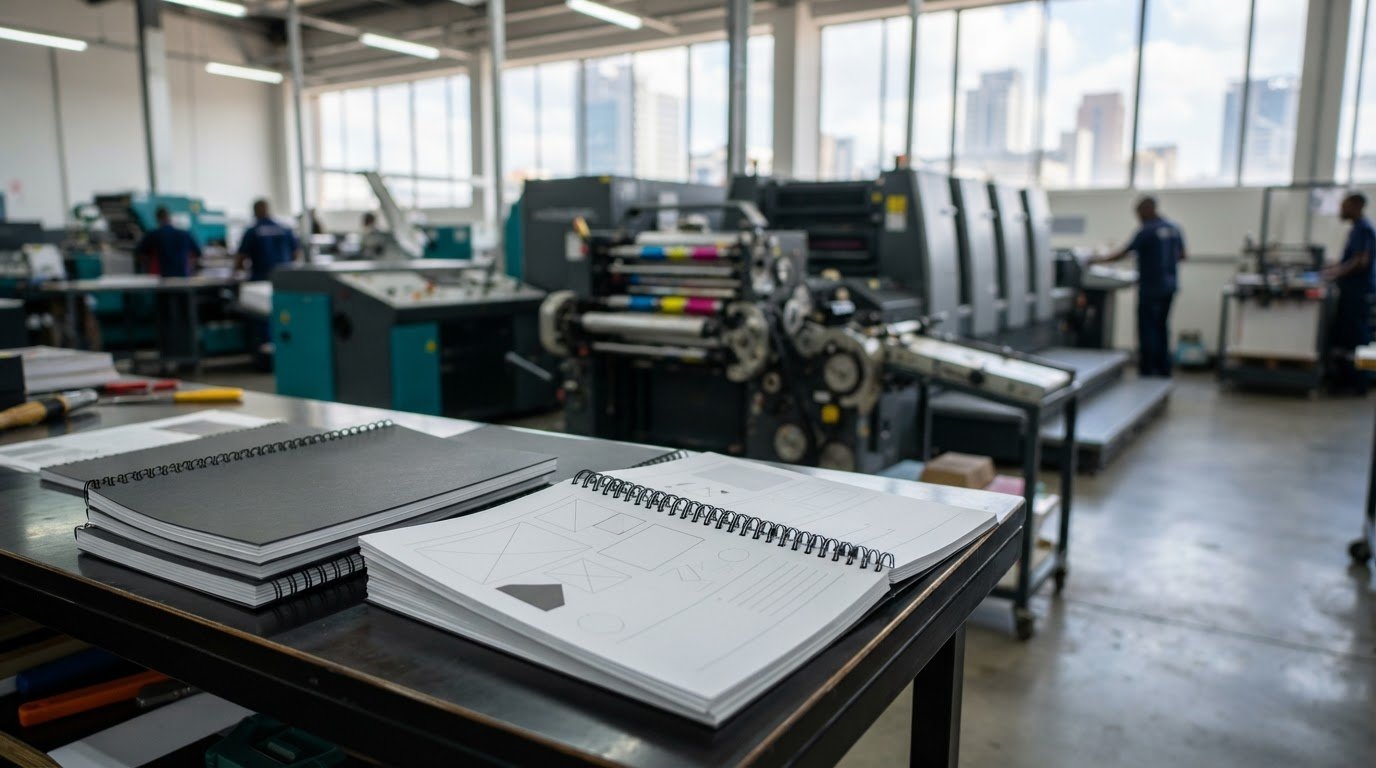
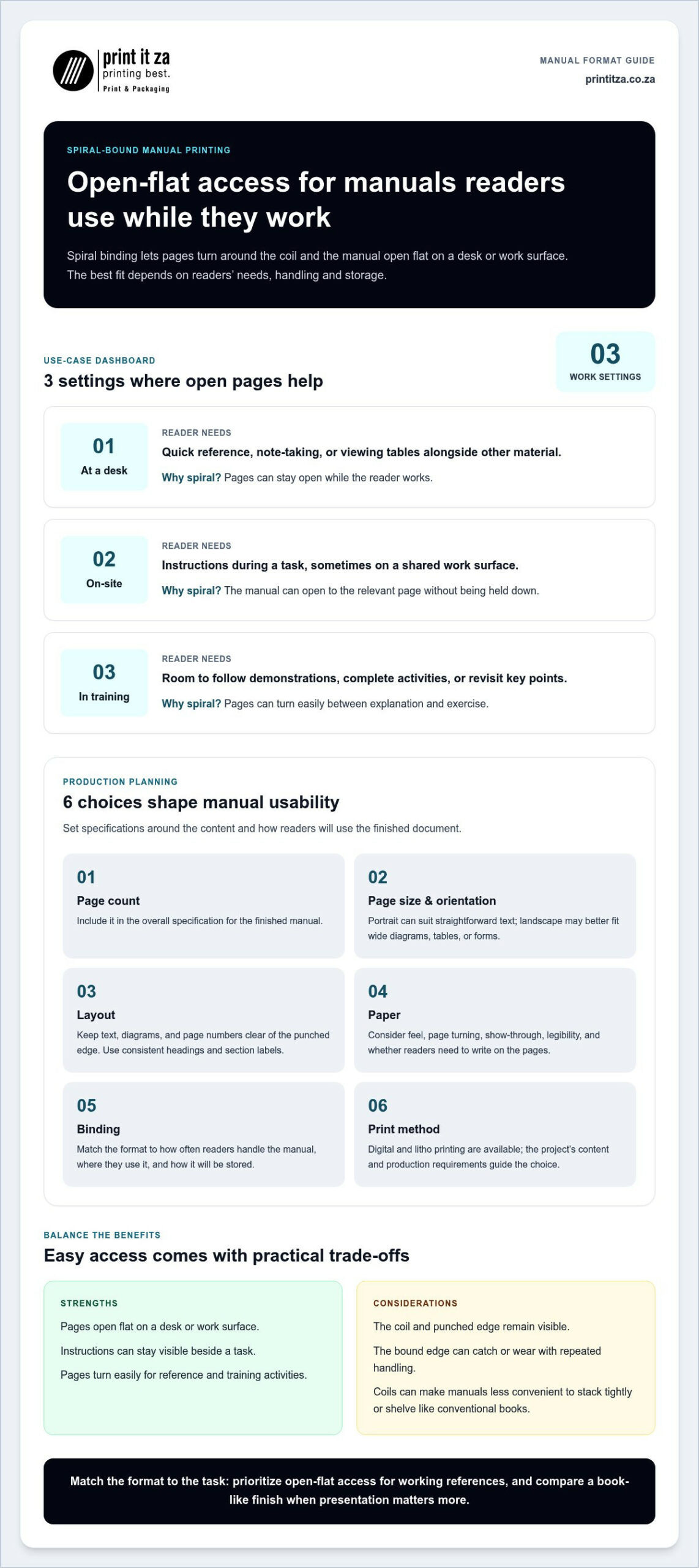
Pages are punched along one edge and joined with a continuous coil threaded through the holes. Readers can turn the pages around the binding and open the manual flat on a desk or work surface. Coil binding, also known as spiral binding, is a practical format for documents readers need to consult as they work.
That flexibility can make instructions easier to follow, but it won’t suit every manual. Consider the page design, how often the document will be handled and where readers will use it. The coil and punched edge remain visible, and the bound edge can catch or wear with repeated handling. Coils can also make manuals less convenient to stack tightly or shelve like conventional books.
Which manuals benefit most from pages that lie open?
Consider spiral binding for step-by-step instructions that need to stay visible beside a task, training materials used during practical sessions, workbooks with space for responses, and business manuals that readers consult frequently. A document intended mainly for presentation or formal reading may be better suited to a book-like finish.
Use this guide to match the setting with the manual’s priorities:
| Where it’s used | What readers need | Why consider spiral binding? |
|---|---|---|
| At a desk | Quick reference, note-taking or viewing tables alongside other material | Pages can stay open while the reader works. |
| On-site | Access to instructions during a task, sometimes on a shared work surface | The manual can be opened to the relevant page without holding it down. |
| In training | Room to follow demonstrations, complete activities or revisit key points | Pages can turn easily between explanation and exercise. |
For a frequently used working document, spiral bound manual printing can prioritise access and ease of use. Weigh those benefits against storage, presentation and expected wear. This balance is a useful starting point for choosing a format that works for its readers.
Which spiral-bound manual specifications should you choose?
Start with the manual’s purpose. A compact reference document, a workbook for written responses and an illustrated procedure guide place different demands on page size, layout and paper. Good specifications make the content comfortable to read and use, while leaving enough room for the binding edge.
| Use case | Layout priorities | Paper considerations | Binding choice |
|---|---|---|---|
| Desk reference | Clear headings, page numbers and easy-to-scan sections | Prioritise crisp text and limit show-through if pages carry content on both sides | Spiral binding suits frequent page-turning and open reference use |
| On-site instructions | Keep steps, diagrams and labels uncluttered and easy to locate | Balance readability with practical handling for the work environment | Choose a format that opens conveniently beside the task |
| Training workbook | Allow space for notes, checkboxes and written answers | Select a surface suited to reading and writing | Spiral binding can support repeated use during activities |
| Formal presentation manual | Use a refined, consistent hierarchy and considered page composition | Match the paper’s look and feel to the intended presentation | Compare spiral binding with a more book-like finish |
How should page layout support a spiral-bound manual?
Keep important text, diagrams and page numbers clear of the punched edge so they remain readable after binding. Use consistent headings, section labels and page numbering to help readers find procedures without scanning every page. For interactive manuals, plan room for notes or responses instead of squeezing writing areas into leftover space.
Choose page size and orientation to suit both the content and how readers will hold the manual. Portrait can work well for straightforward text, while landscape may better accommodate wide diagrams, tables or forms. Let the material guide the format, rather than forcing the content into a layout that makes it harder to use.
How do paper and print choices affect usability?
Paper weight and opacity affect how substantial the pages feel, how easily they turn and whether content on the reverse shows through. Text-heavy manuals may need a different balance from colour-rich documents with diagrams or images. If readers will write on the pages, consider the surface as well as legibility. There’s no universal paper choice: match it to the content and expected handling.
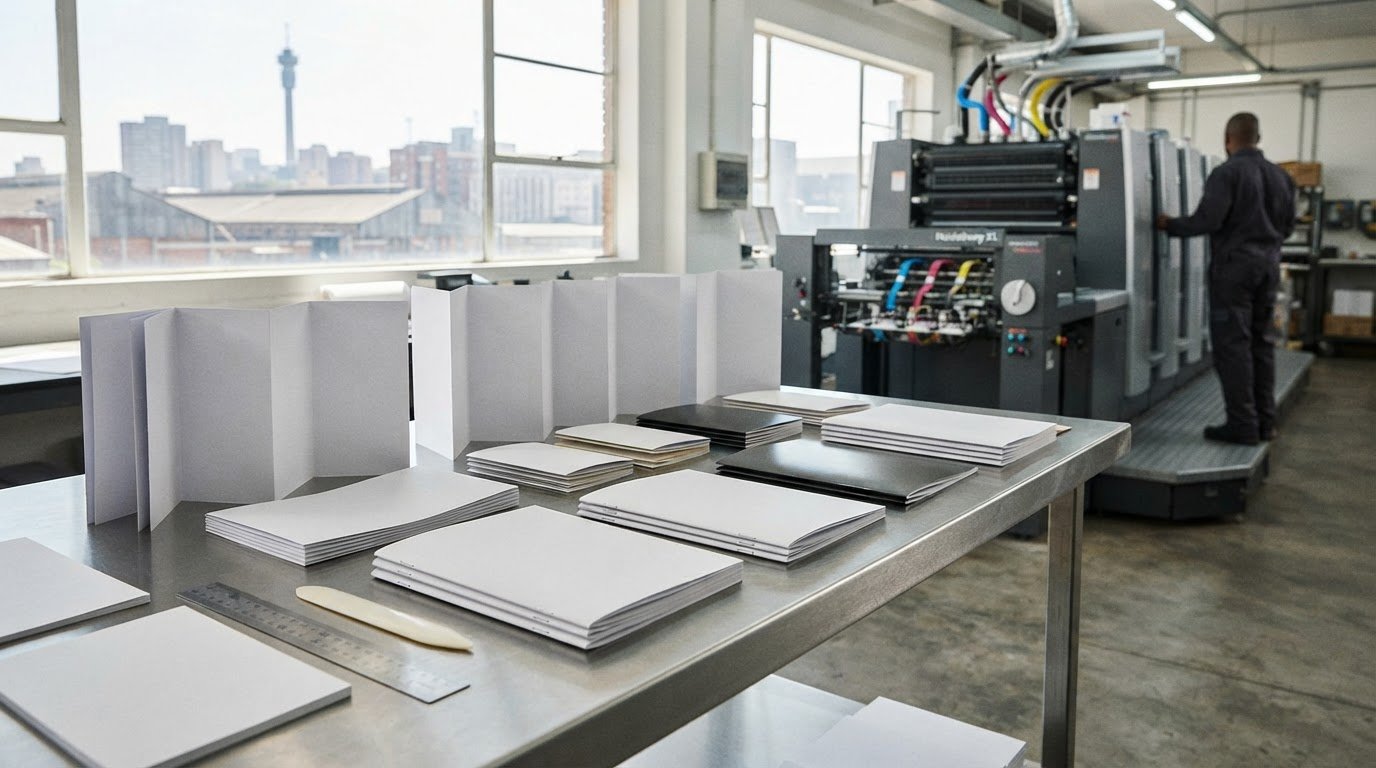
Print It ZA offers digital and litho printing. The right method depends on the project’s content and production requirements. For spiral bound manual printing, settle these choices before artwork is finalised. Print It ZA’s manual printing and binding support brings design and production considerations together.
Spiral binding versus other manual binding options
Binding affects more than a manual’s appearance. It influences how easily readers can open it, how the pages are held together and whether the finished piece feels like a working document or a formal book. Choose based on the content, expected handling and presentation you want, rather than assuming one method suits every project.
When is spiral binding more practical than perfect binding?
Spiral binding is useful when readers need the manual to lie open without holding the pages down. A perfect-bound manual has a spine formed by securing the pages together along one edge, giving it a familiar, book-like profile. That can suit a document intended for shelf storage or a polished presentation, but it won’t stay open beside an active task in the same way.
Think about how readers will use the manual from cover to cover. If they need to consult a page while referring to equipment or completing a process, opening behaviour may matter more than a printed spine. Page count and final format also affect production decisions, so consider them alongside the manual’s purpose when planning spiral bound manual printing.
How do saddle stitching, PUR and case binding compare?
Each option creates a different balance of opening convenience, appearance and handling:
- Saddle stitching: Folded sheets are secured along the centre fold, creating a lightweight booklet. It can suit concise guides or handouts where a simple, compact format works well.
- Perfect binding: Pages are gathered and adhered at the spine. The result has a clean, book-like edge that suits manuals where presentation and shelf organisation are priorities.
- PUR binding: This uses a type of adhesive binding to create a book-style spine. It’s an option for a professional-looking document that will be handled as a book rather than constantly held open.
- Case binding: A hard cover encloses the book block, creating a more formal, substantial finish. It may suit a reference manual intended for presentation or a collection.
A short handout distributed at a session may need a different finish from a substantial reference document kept on a shelf. A working manual may prioritise easy page access instead. Compare how each format opens and feels in use, then match the choice to the readers and setting. Print It ZA brings manual printing and binding together for projects in Johannesburg, from format decisions through to the finished document.
How to prepare files and plan a manual print run
A smooth print project starts before artwork reaches production. Decide who will use the manual and what they need to do with it, then shape the content, format and print brief around that purpose. For spiral bound manual printing, settle the final trim size and binding edge before artwork is finalised, as both affect page layout.
- Define the audience and purpose. Identify the readers, where they’ll use the manual and whether they’ll read, reference or write in it.
- Organise the content. Put pages in their final sequence. Check headings, section order and page numbering, and make diagrams, tables and instructions easy to follow.
- Set the format and binding. Choose the intended page size and orientation, then allow enough space at the binding edge so text, page numbers and visuals remain clear.
- Prepare the artwork. Use clear images, consistent fonts and colours, and margins suited to the agreed print requirements. Include interactive elements, such as checkboxes or answer spaces, in the layout.
- Confirm production and distribution needs. Estimate quantities for teams, training sessions or distribution points. Specify colour requirements and finishing choices, then review a proof for content, layout and visual consistency before production.
What should a print-ready manual file include?
Submit final, approved content with pages in order and numbering checked. Review diagrams and images at their placed size, and make sure fonts, colours and margins follow the agreed setup. Keep important content away from the binding edge. If the layout needs refinement, Print It ZA’s in-house design support can help prepare the artwork for printing.
A proof gives you a chance to catch issues before production. Check more than spelling: confirm that tables are legible, instructions are complete, page references match and interactive areas leave enough room for readers to respond.
How should businesses plan quantity and delivery?
Estimate how many copies each team, training session or distribution location will need, and consider whether you’ll need extra copies for later use. Quantity, colour and finishing requirements all inform the production approach. Print It ZA offers digital and litho printing, with the method suited to the project’s requirements.
For Johannesburg and Gauteng projects, clear specifications help keep local coordination straightforward. Print It ZA also provides nationwide delivery for manuals destined for teams elsewhere in South Africa. Explore manual print planning with Print It ZA, from design support through to finished printing.
Order spiral-bound manual printing with a clear project brief
A clear brief turns your manual’s purpose into practical print decisions. It gives design and production a shared starting point, helping the finished document reflect how readers will use it. Before arranging spiral bound manual printing, gather the essentials below.
What information should you include in a manual printing brief?
- Purpose and audience: Explain what the manual needs to help readers do and who will use it, such as employees, trainees or customers.
- Use and distribution: Describe where it will be read, how often readers may handle it, and whether copies are for a team, training session or multiple locations.
- Format: Note your preferred page size and orientation, along with the binding style you have in mind.
- Content and colour: Share the expected content, including diagrams, tables, colour elements and any specific colour requirements.
- Interactive needs: Identify pages that need room for notes, checkboxes or written answers.
- Artwork: Provide final artwork if it’s ready, or outline where you’d like design support to develop a print-ready layout.
These details clarify the intended finish before artwork is prepared. For example, a manual with response spaces has different layout needs from a text-led reference document. Sharing those requirements early helps keep content, format and production decisions aligned.
How can Print It ZA support a manual project?
Print It ZA brings manual printing, spiral binding and in-house design support together in one project journey. Your brief helps shape decisions about layout, print method and finishing, with digital and litho printing available to suit project requirements. From organising the content to preparing the final printed manual, decisions can be guided by the audience and intended use.
Johannesburg and Gauteng organisations can coordinate a local manual project, while nationwide delivery supports distribution to teams across South Africa. A well-prepared brief makes it easier to move from an initial idea to a considered print plan.
Ready to take the next step? Discuss your manual printing project with Print It ZA and share the purpose, format and requirements you’ve outlined.
Turn your manual plan into a finished print project
A successful manual starts with its readers. Choose a binding that suits how they’ll use it, then align the page layout, paper and print choices with the content and handling needs. A clear project brief brings those decisions together, covering the manual’s purpose, format, artwork, quantity and distribution.
With spiral bound manual printing, the goal is a document that’s practical to use as well as professionally produced. Print It ZA supports manual projects with spiral binding, in-house design support, and litho and digital printing. Nationwide delivery helps get finished manuals to teams across South Africa.
Ready to move from specifications to production? Discuss your spiral-bound manual printing project with Print It ZA. Share your plans and shape a manual that’s clear, useful and ready for its readers.
Frequently Asked Questions
What is spiral binding for a printed manual?
Spiral binding holds punched pages together along one edge with a continuous coil. Readers can turn the pages and keep the manual open, which can be useful when following instructions or checking a reference while working. The best format depends on the content, layout and expected handling. For a Johannesburg project, describe how people will use the manual in your print brief, not only the appearance you want.
Is spiral binding suitable for training manuals?
It can suit training manuals if participants need to follow instructions, revisit sections or write notes while the pages are open. Consider the learning environment, how often the manual will be handled and whether it includes exercises or response areas. Plan the layout and binding edge together so content stays clear and usable. A concise brief helps align the printed manual with the needs of learners and trainers in Gauteng.
Can a spiral-bound manual include colour pages and diagrams?
Yes, a spiral-bound manual can include colour pages and diagrams. Plan artwork for readability at the chosen page size, and identify which pages need colour in your project brief. Check that images are suitable for print and that diagrams, labels and tables remain clear on the page. Print It ZA can align the production approach with your manual’s content and requirements, whether the project is for a local team or wider distribution.
How do I prepare a file for spiral-bound manual printing?
Finalise the content and page order, then review headings, numbering, images and diagrams for accuracy and clarity. Leave suitable space beside the binding edge so important text and visuals aren’t crowded. Confirm the intended page size and artwork setup in your print brief. If the layout needs refinement, Print It ZA’s in-house design support can help prepare your file for spiral bound manual printing in Johannesburg.
What happens if my manual has a lot of pages?
A higher page count can affect the manual’s format, handling and binding requirements, so don’t assume the same setup suits every project. Include the page count, paper preferences and intended use in your brief. These details help guide production planning and keep the finished manual readable and practical for its audience. Print It ZA can consider the requirements together as part of a manual printing project for your Gauteng organisation.
Is spiral binding better than perfect binding for a manual?
Neither option is automatically better; choose based on how readers will use the manual and the finish you want. Spiral binding can be practical when pages need to turn easily and stay open during a task. Perfect binding gives the document a more book-like appearance. Compare opening behaviour, presentation and expected handling, then select the format that best supports the manual’s purpose.
How much does spiral-bound manual printing cost?
The quote depends on your project specifications, including format, page count, paper, colour, binding and print quantity. Artwork readiness and delivery requirements may also shape the project. Share the details you have in a brief, including where copies need to go in Johannesburg, Gauteng or elsewhere in South Africa. Print It ZA can discuss the requirements with you and prepare a quote suited to your manual project.
Contact Print It ZA today, for a Free Quote and Speedy Service.
Print It ZA printers, we deliver Printing Best!
Print It ZA print and packaging, South Africa/ ZA.